 glass beadian
aa5e262f3a
glass beadian
aa5e262f3a
Self-hosted multi-platform broadcast newsroom for activist collectives:
publishing pipeline with group approval and DST-proof scheduling, TweetDeck-style
column wall with hostile-content-safe rendering, live control room with Auto
Director, bridged chat governance with polls and quorum, distributed sandboxed
transcode workers, encrypted content-addressed archive, monthly analytics.

MIT licensed. See README.md and docs/.
23 KiB
Tactical Media Broadcast Hub — User Manual v2
Your platform. Their feeds. No algorithm in between.
| Build documented | commit 6d5dc7e (main), web production build |
| Verified on | 2026-10-07, against a running API, Postgres, Redis and Temporal |
| Screenshots | docs/manual/screenshots/ (1440×900 desktop, 390×844 mobile) |
| Method | Every claim marked live was exercised end-to-end. See §15 Capability table |
How to read this manual. Each feature has one of four labels:
- live: we ran a real round-trip through the UI and/or the API and checked the result.
- sample data: the screen shows built-in fixtures. Sometimes that happens only when the API is unreachable, and sometimes it always happens (this is noted).
- partial: the request works, but part of the pipeline behind it isn't wired yet.
- stub: a placeholder screen or an inert control.
Nothing in this manual is described as working unless we exercised it.
Contents
- Quickstart
- The shell: sidebar, session bar, command palette
- Onboarding: create a workspace, sign in
- Streams
- Compose
- Channels (Connections)
- Video
- Team
- Audit
- Inbox
- Calendar, Approvals, Analytics, Settings
- Telegram
- Offline / sample-data mode
- Mobile
- Capability table
1. Quickstart
- Open the app and you land on Onboarding. Any protected screen redirects there when you have no session (verified: an anonymous visit to
/streamsis sent to/onboarding). - Create a workspace. Enter a workspace name, your name, email, and a password of at least 10 characters, then press Continue. This creates the workspace, your owner account and your session in one step (live).
- Invite your team (optional). Enter comma-separated emails. Each invitee is added as Editor with status invited (live). Email delivery and invite acceptance are not wired yet, so invitees can't sign in.
- Connect accounts. This step is simulated: the buttons only flip a "connected" badge locally. Nothing is stored. Press Finish setup.
- Write a post in Compose and press Save draft. The draft is stored and appears under Recent drafts (live). Publishing needs a connected channel, and channels can't be connected from the UI yet (see §6).
- Register a video in Video by dropping an MP4/WebM/MOV file. The asset and a queued processing job are created (partial: processing doesn't start, see §7).
- Check Audit. Every action above appears in the hash-chained audit trail (live).
What you can't do yet: connect a real social account from the UI, publish to a platform from the UI, read real feeds/DMs, or use Calendar, Approvals, Analytics or Settings.
2. The shell
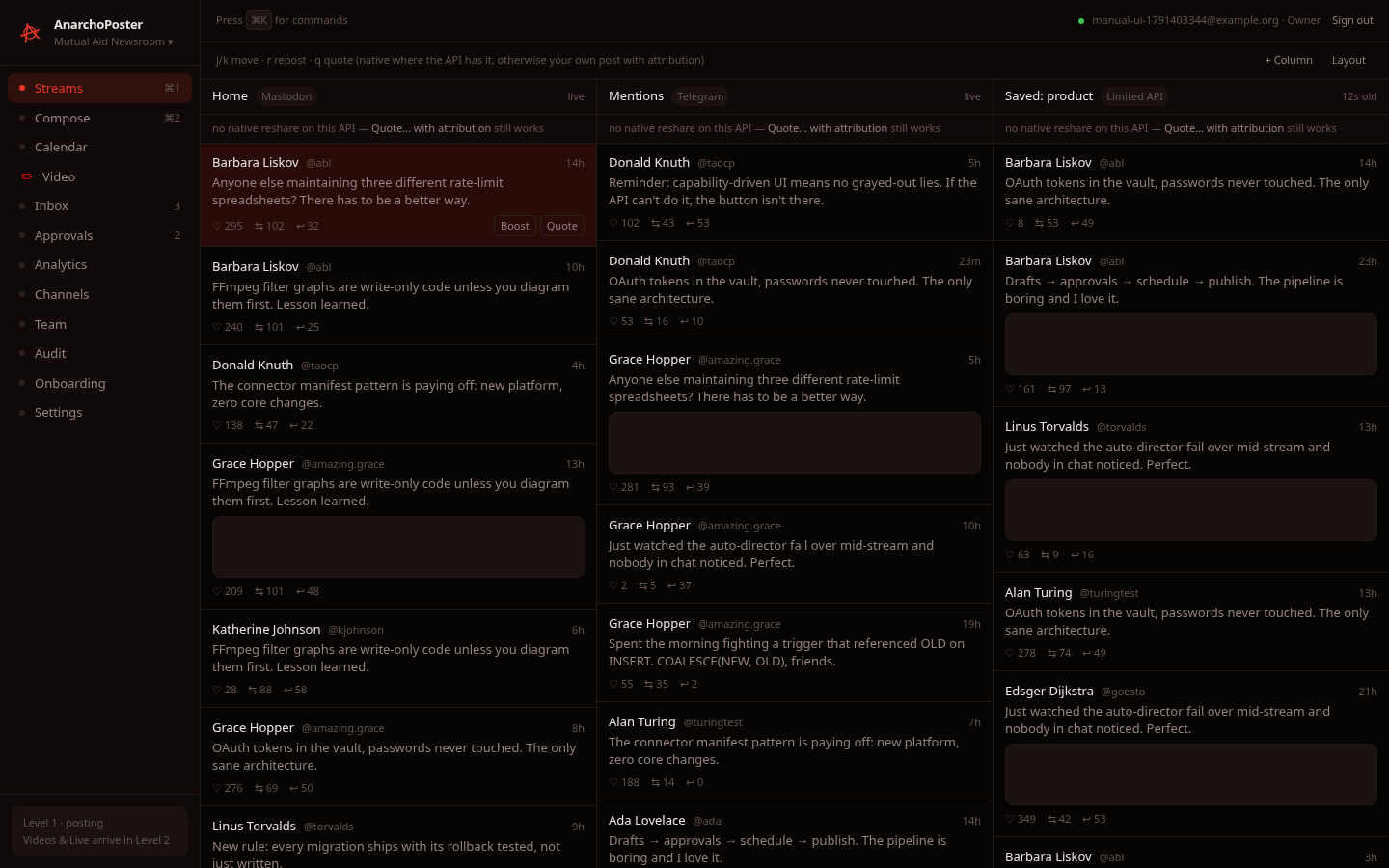
- Sidebar. Lists Streams (⌘1), Compose (⌘2), Calendar, Video, Inbox, Approvals, Analytics, Channels, Team, Audit, Onboarding and Settings, with the workspace name under the logo. The 3 next to Inbox and the 2 next to Approvals are fixture counts, not live counts. The footer card reads "Level 1 · posting — Videos & Live arrive in Level 2".
- Session bar (top right). Shows a green dot, your email and your role, plus Sign out (live). When the API is unreachable it reads "offline — sample data" instead.
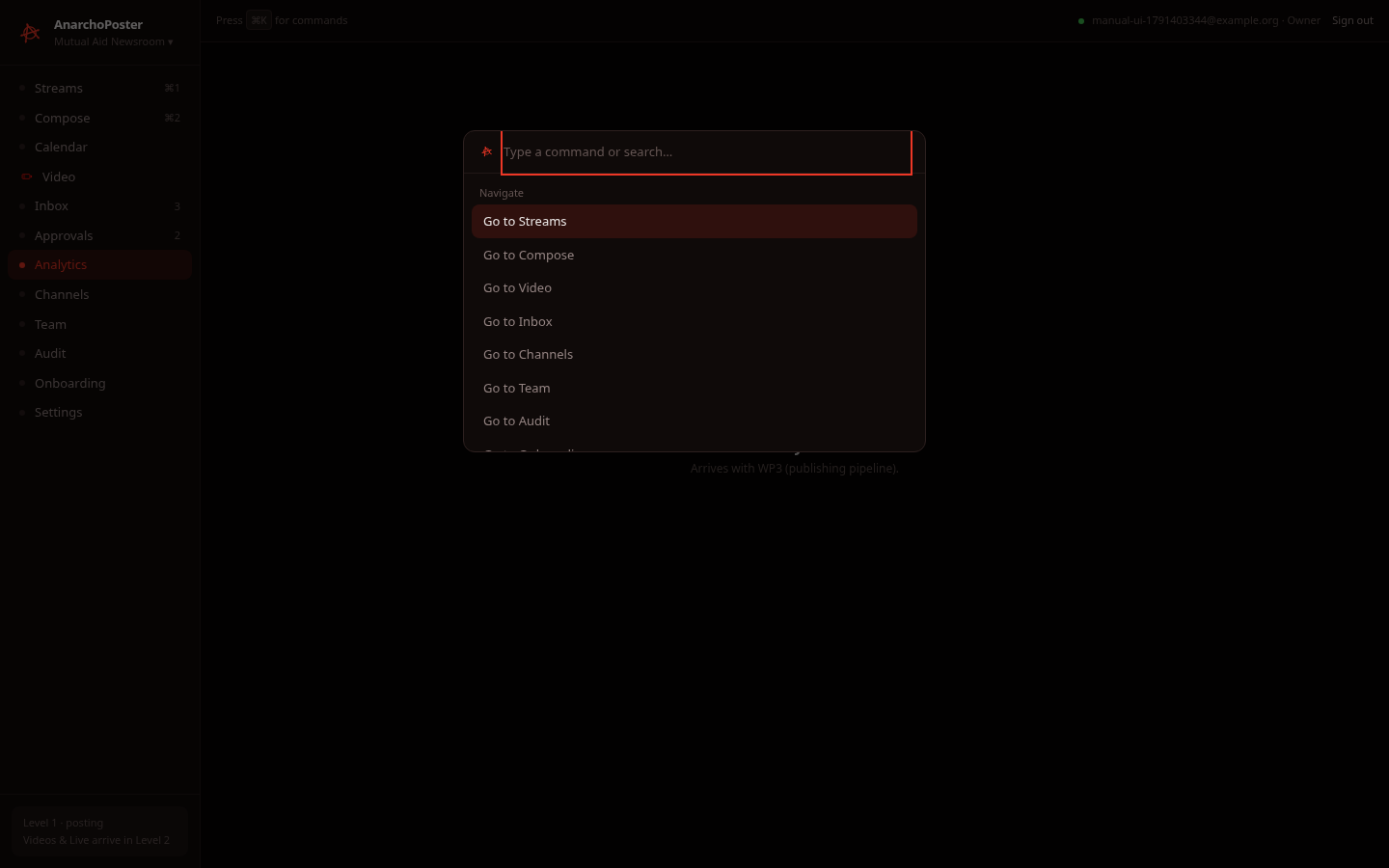
- Command palette. Press ⌘K / Ctrl+K to jump to Streams, Compose, Video, Inbox, Channels, Team, Audit or Onboarding (live: navigation only, no actions).
Session safety (live). Changing a role, inviting or removing a member bumps the workspace's authorization epoch. Every older session token is then rejected with "authorization epoch stale — re-authenticate". The web client automatically exchanges a stale token for a fresh one (/auth/reissue), so you stay signed in. We verified this: an old token returned 401 after a role change, and the client recovered transparently on the next screen load.
3. Onboarding
| Step | Screenshot | Status |
|---|---|---|
| Register (blank) | 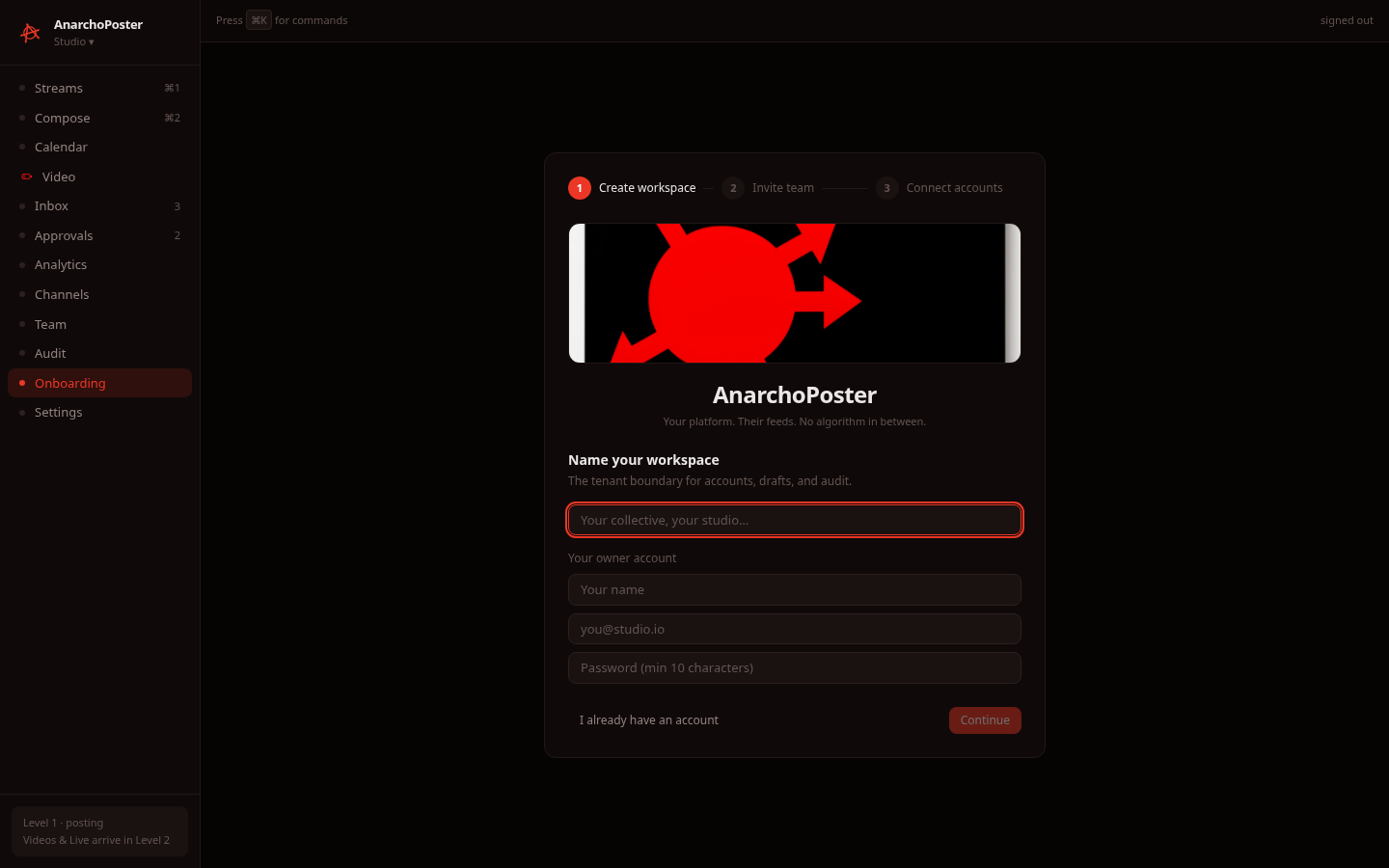 |
live |
| Register (filled) | 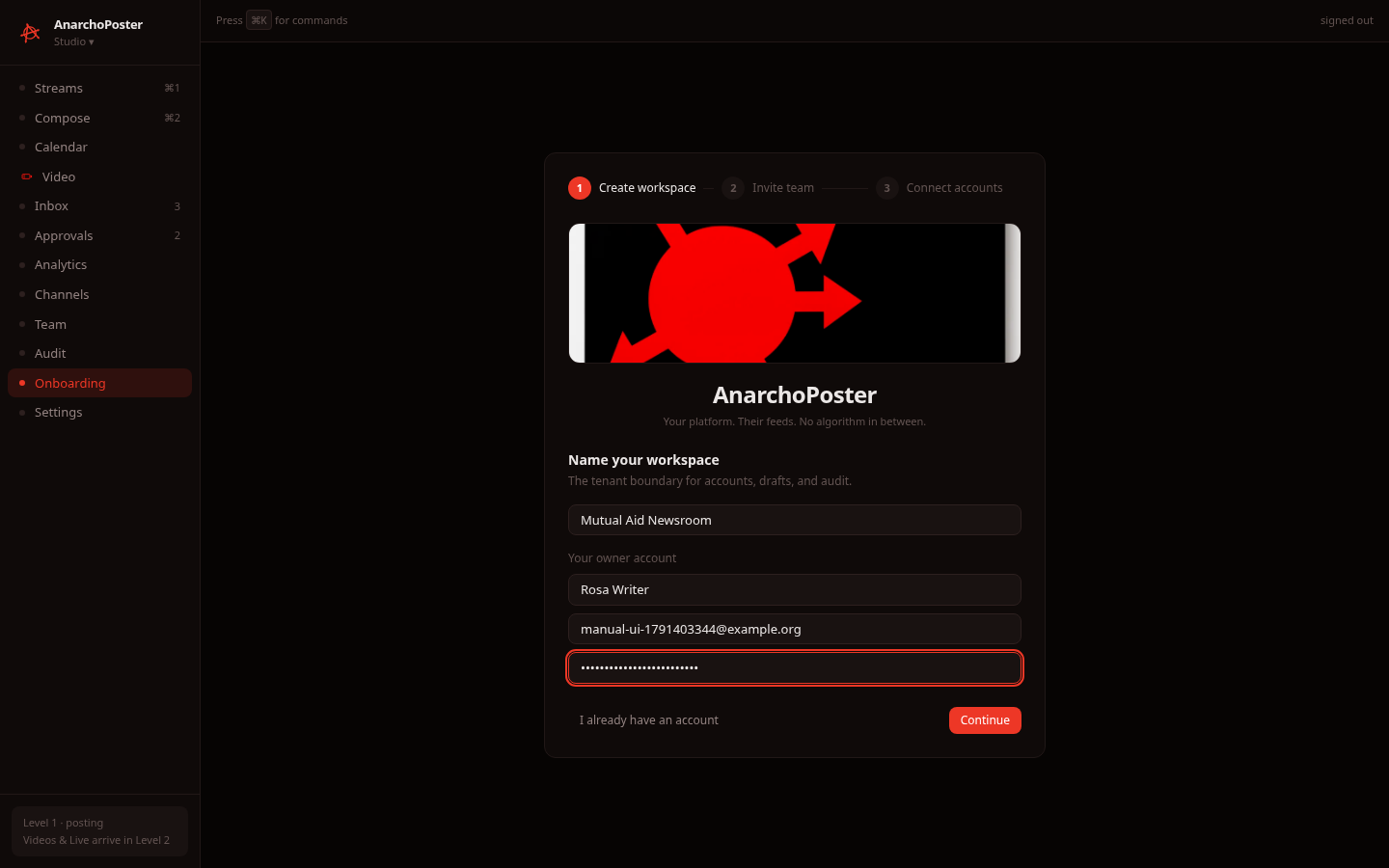 |
live |
| Invite team | 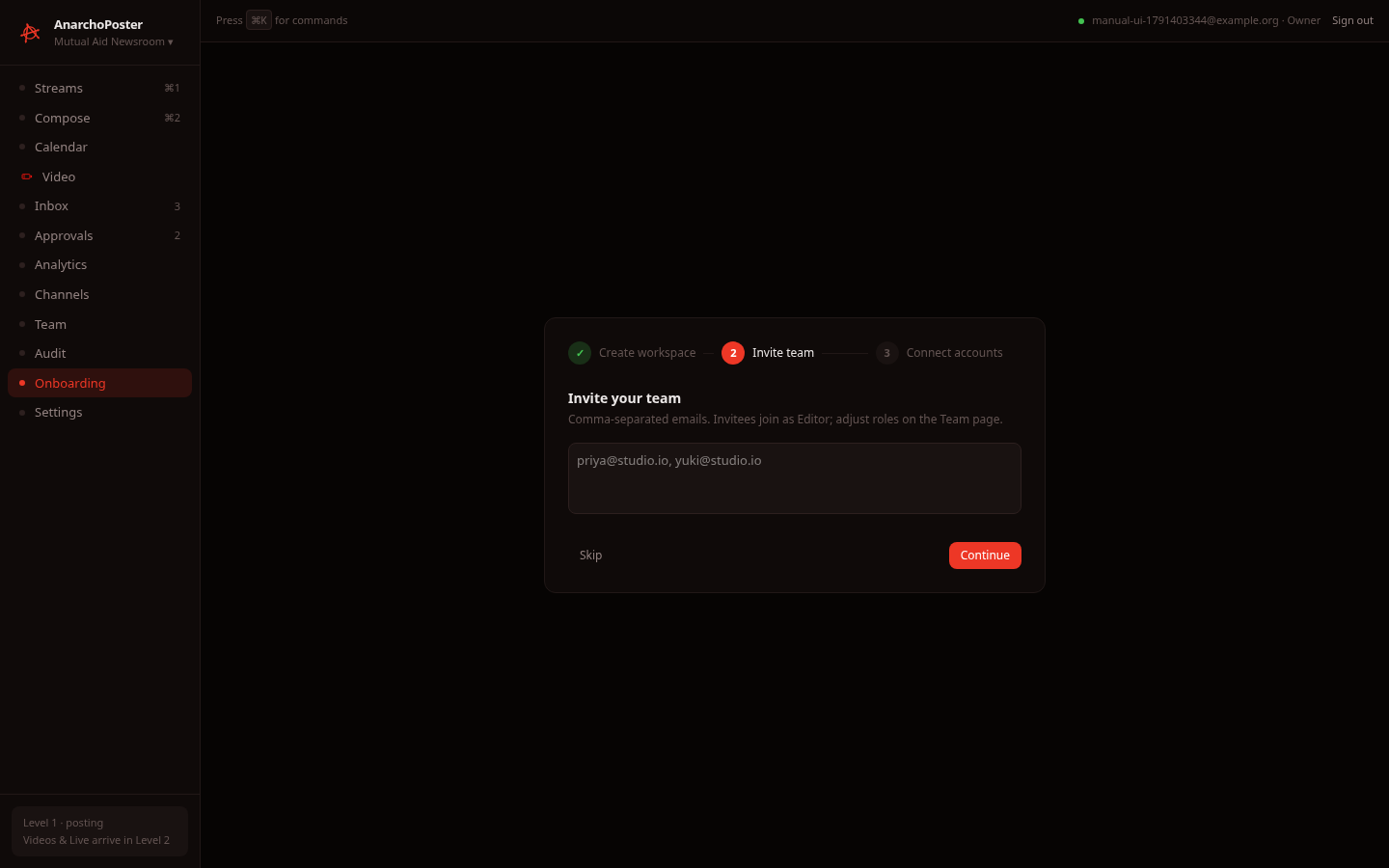 |
live (creates invited members; no email is sent) |
| Connect accounts | 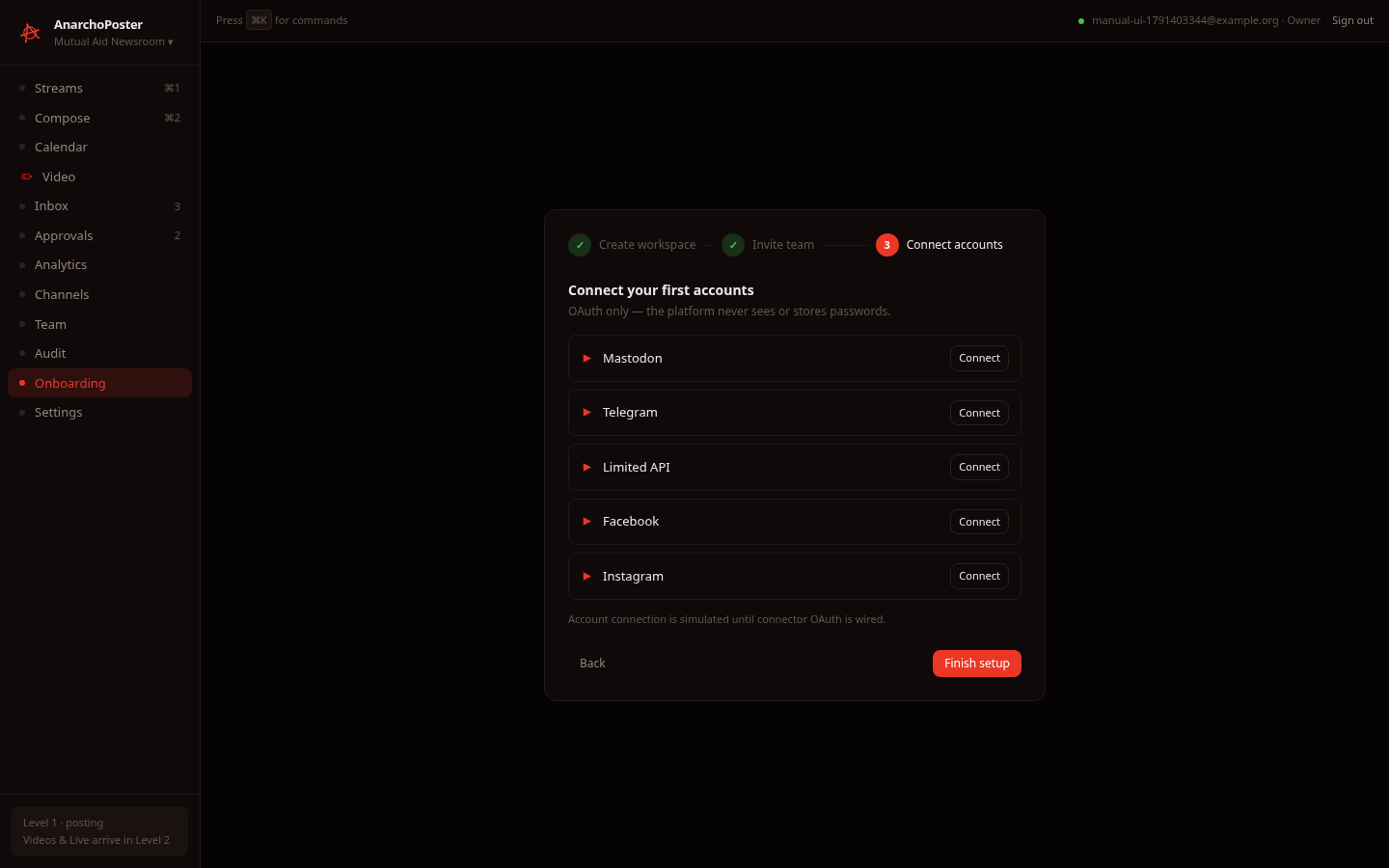 |
stub: simulated toggle |
| After clicking Connect on Telegram | 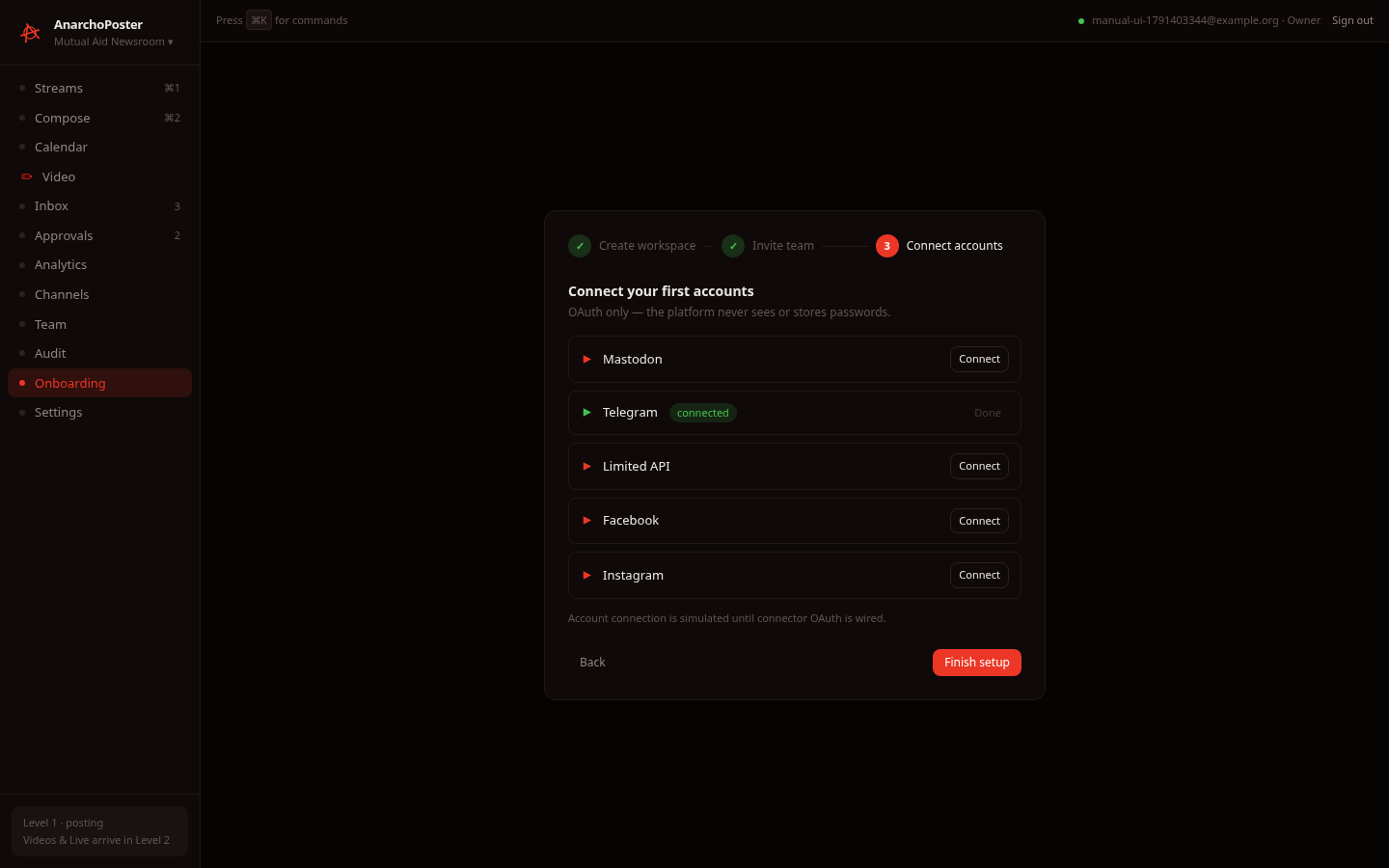 |
stub: badge is local state only |
| Done | 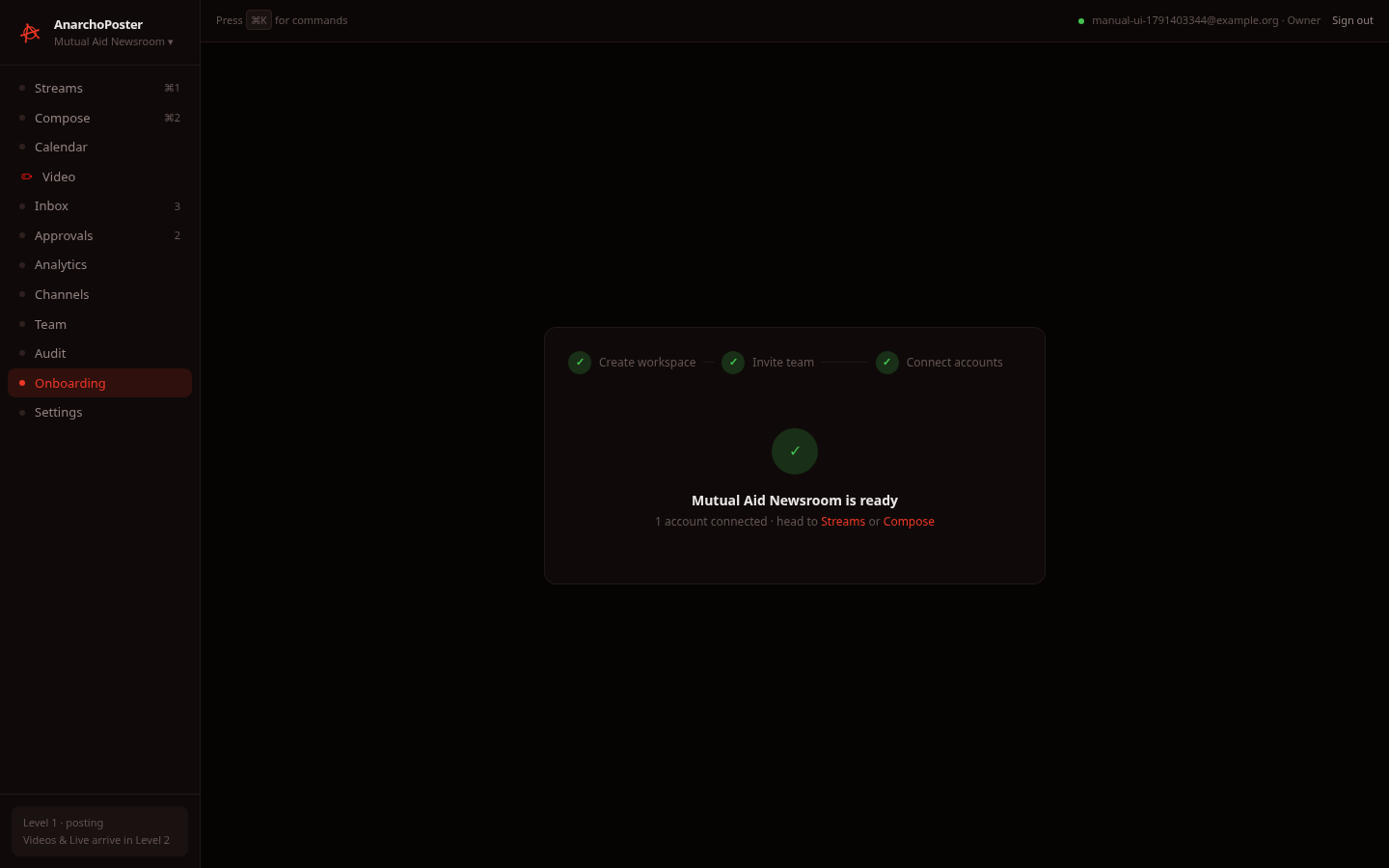 |
live (shows the real workspace name) |
| Sign in | 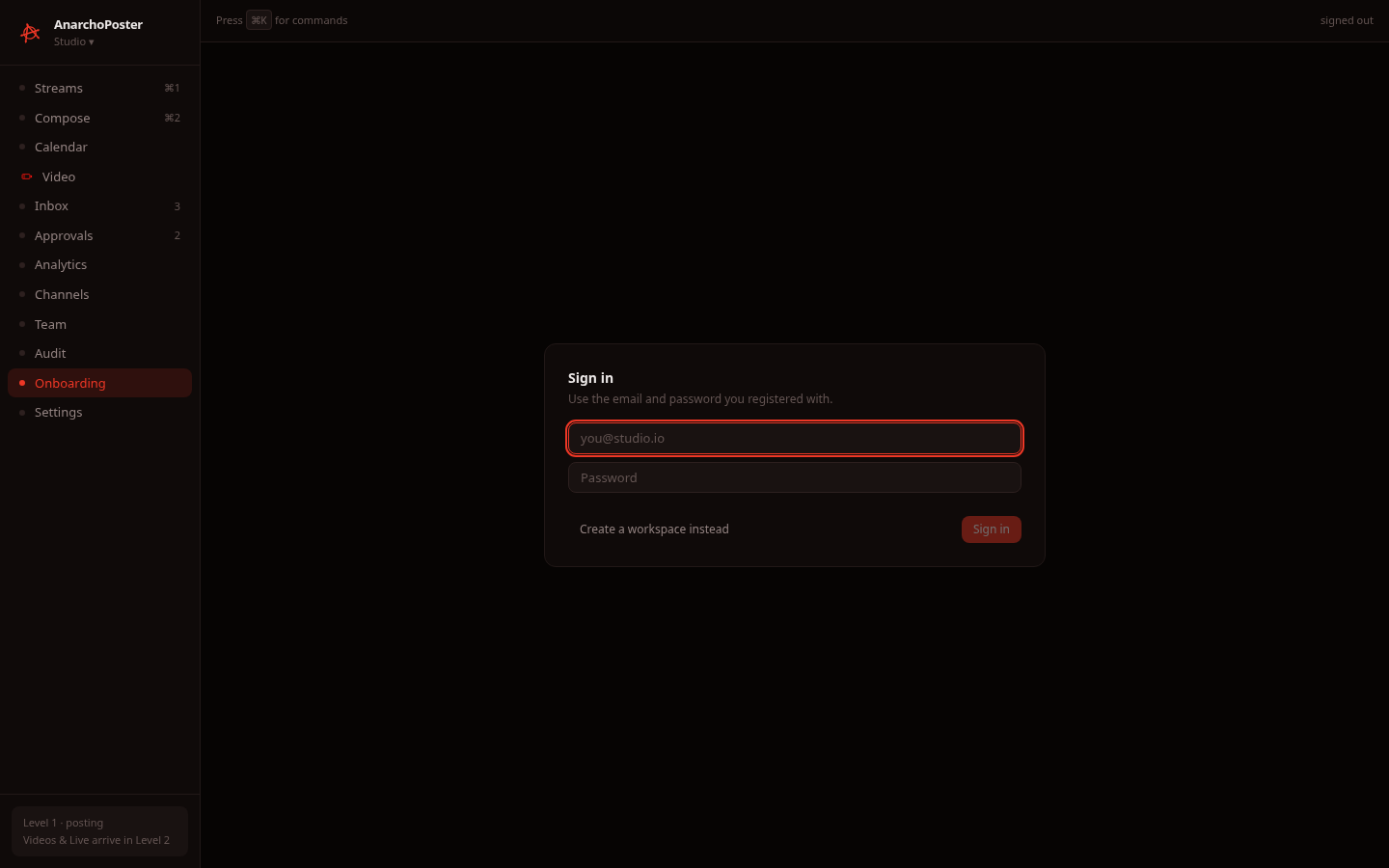 |
live |
| Sign in, wrong password | 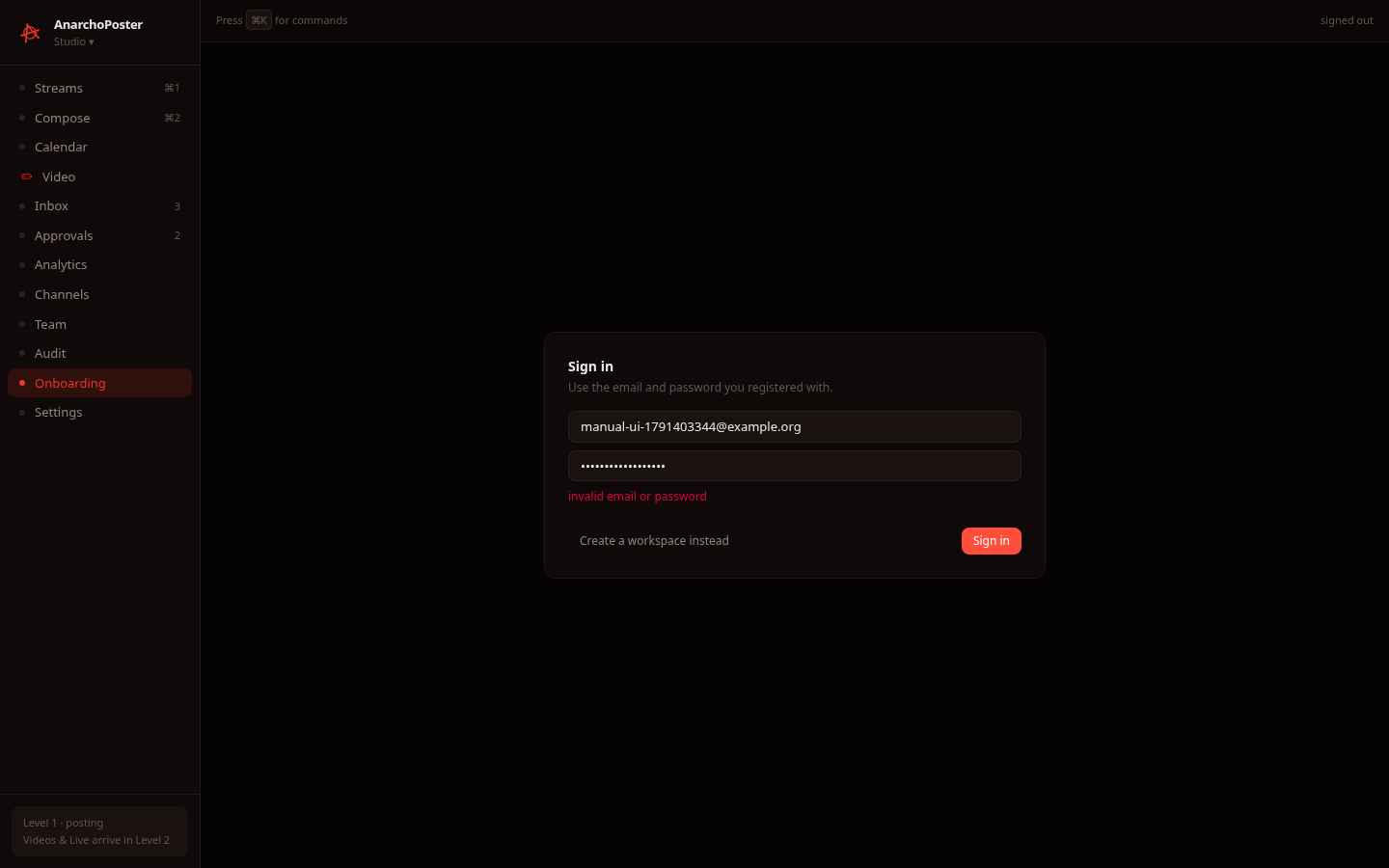 |
live: "invalid email or password" |
| Visiting Onboarding while signed in | 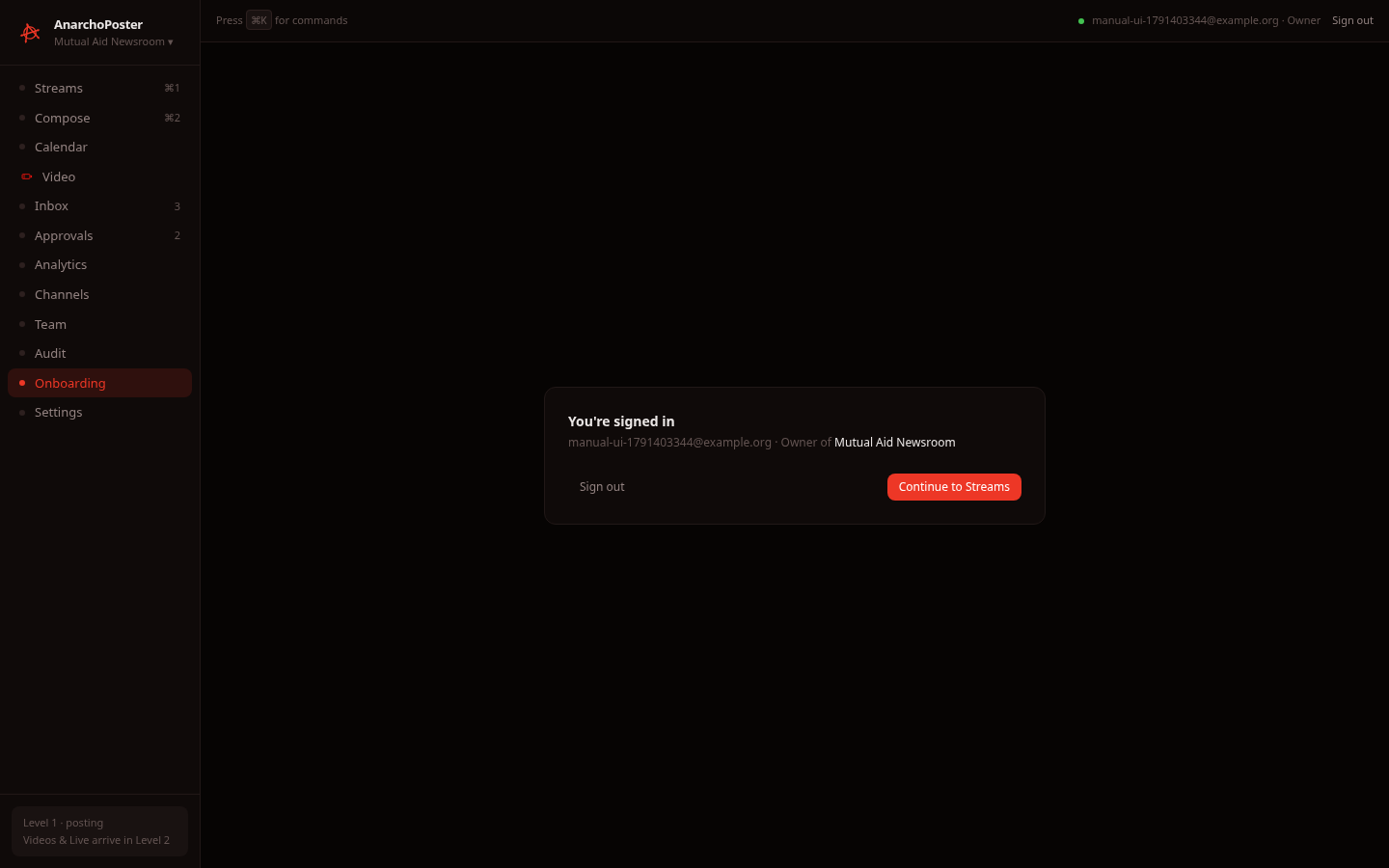 |
live: shows your email, role and workspace, with Sign out and Continue to Streams |
How to use it
- Create a workspace. All four fields are required (the password needs at least 10 characters). Continue stays disabled until they are valid.
- Sign in. Click I already have an account, then enter your email and password. On success you go to Streams.
- Session expiry. If your session expires or is revoked, the app sends you back here with a notice: "Your session ended (expired, or your role changed). Sign in again."
- Platform list. The Connect step lists five fixture platforms: Mastodon, Telegram, "Limited API" (a demo placeholder), Facebook and Instagram. The connector packages cover more providers (Bluesky, Discord, Slack, PeerTube, Reddit, LinkedIn, Threads, Twitch…), but none of them are connectable from this screen.
4. Streams
Status: sample data (always). Streams columns are generated fixtures, even when you are signed in. The column headers say "live", but the content is not real feed data, and the screen shows no offline badge.
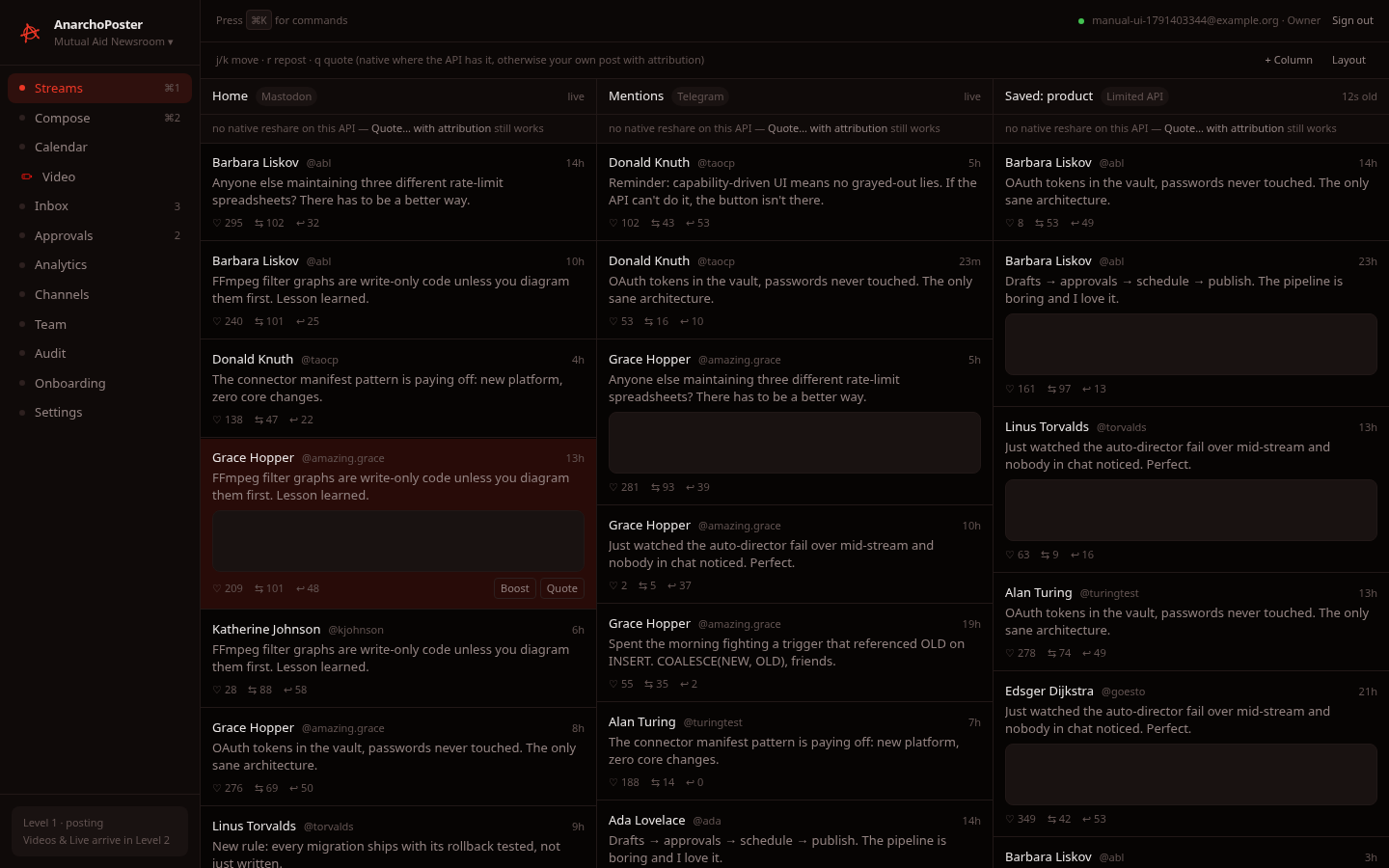
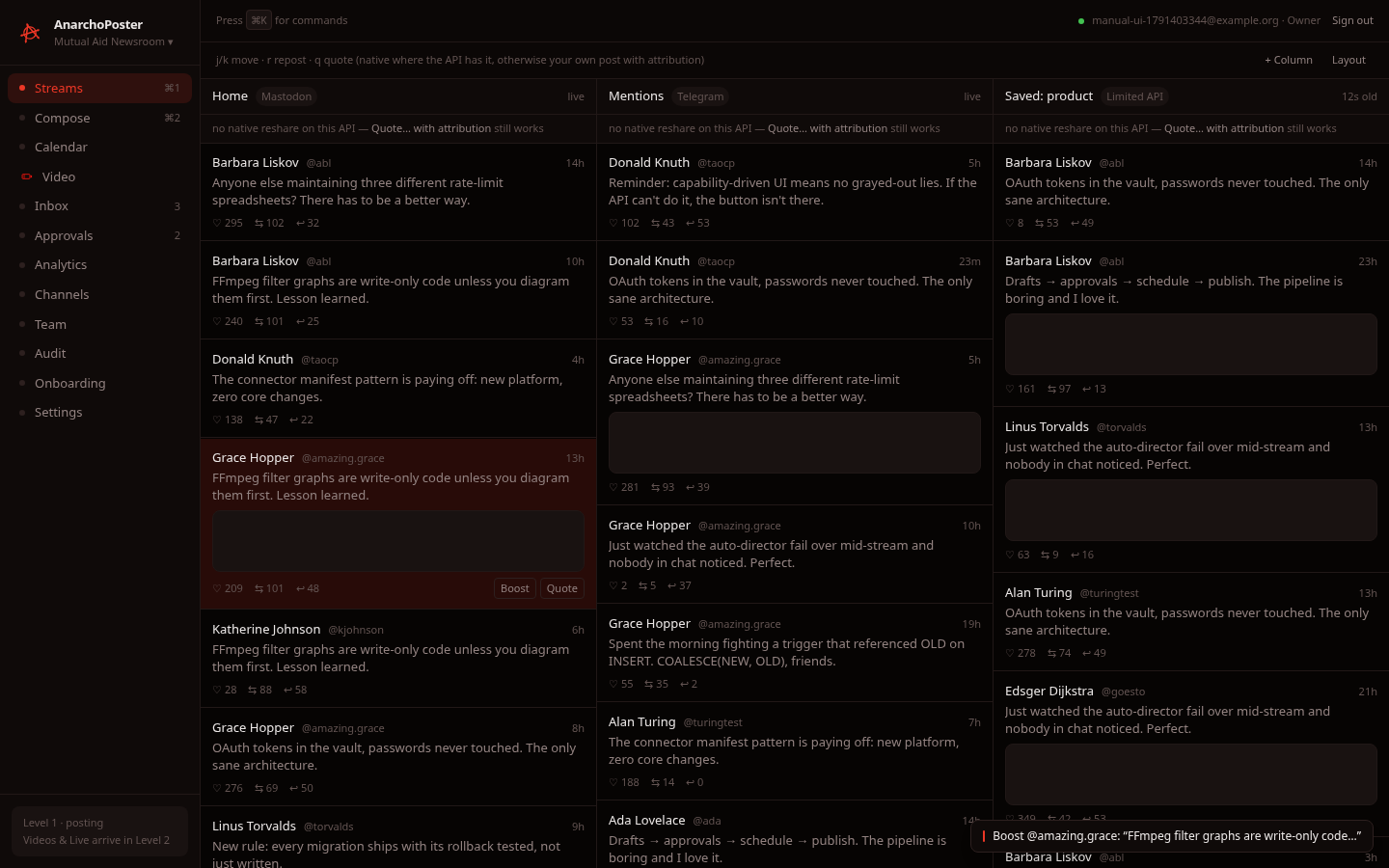
What it is. A TweetDeck-style multi-column console. The columns are Home (Mastodon), Mentions (Telegram) and Saved: product (Limited API). Each column states its amplification honesty line, for example "no native reshare on this API — Quote… with attribution still works".
Keyboard (works on the fixtures):
| Key | Action |
|---|---|
j / ↓ |
select next card (highlighted, shows Boost / Quote buttons) |
k / ↑ |
select previous card |
r |
repost/boost the selected card (shows a toast; nothing is sent) |
q |
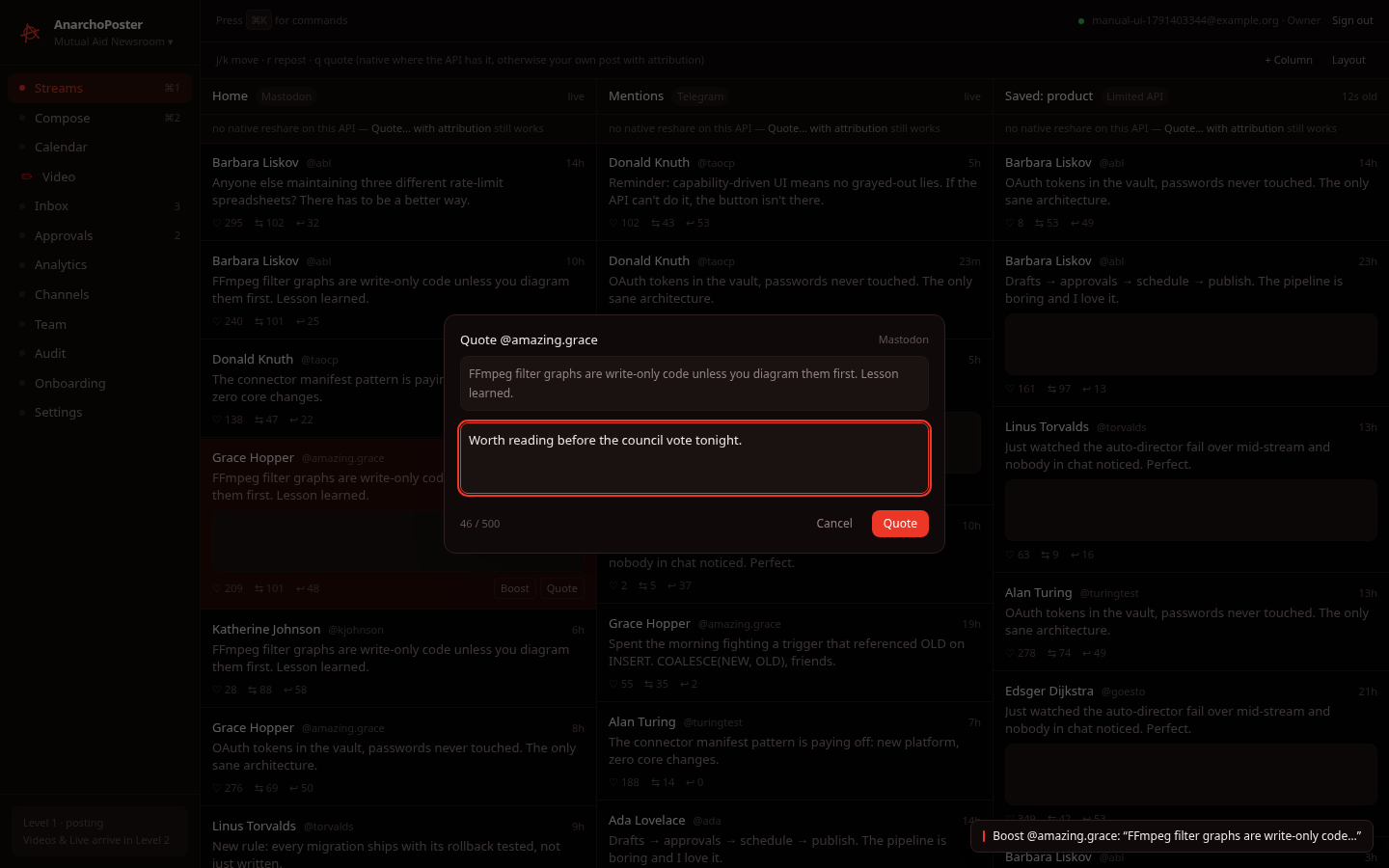
open the quote modal |
Esc |
close the modal |
| Selected card | Repost toast | Quote modal |
|---|---|---|
 |
 |
 |
+ Column and Layout are inert (stub).
5. Compose
Status: live (drafts) · partial (publish).
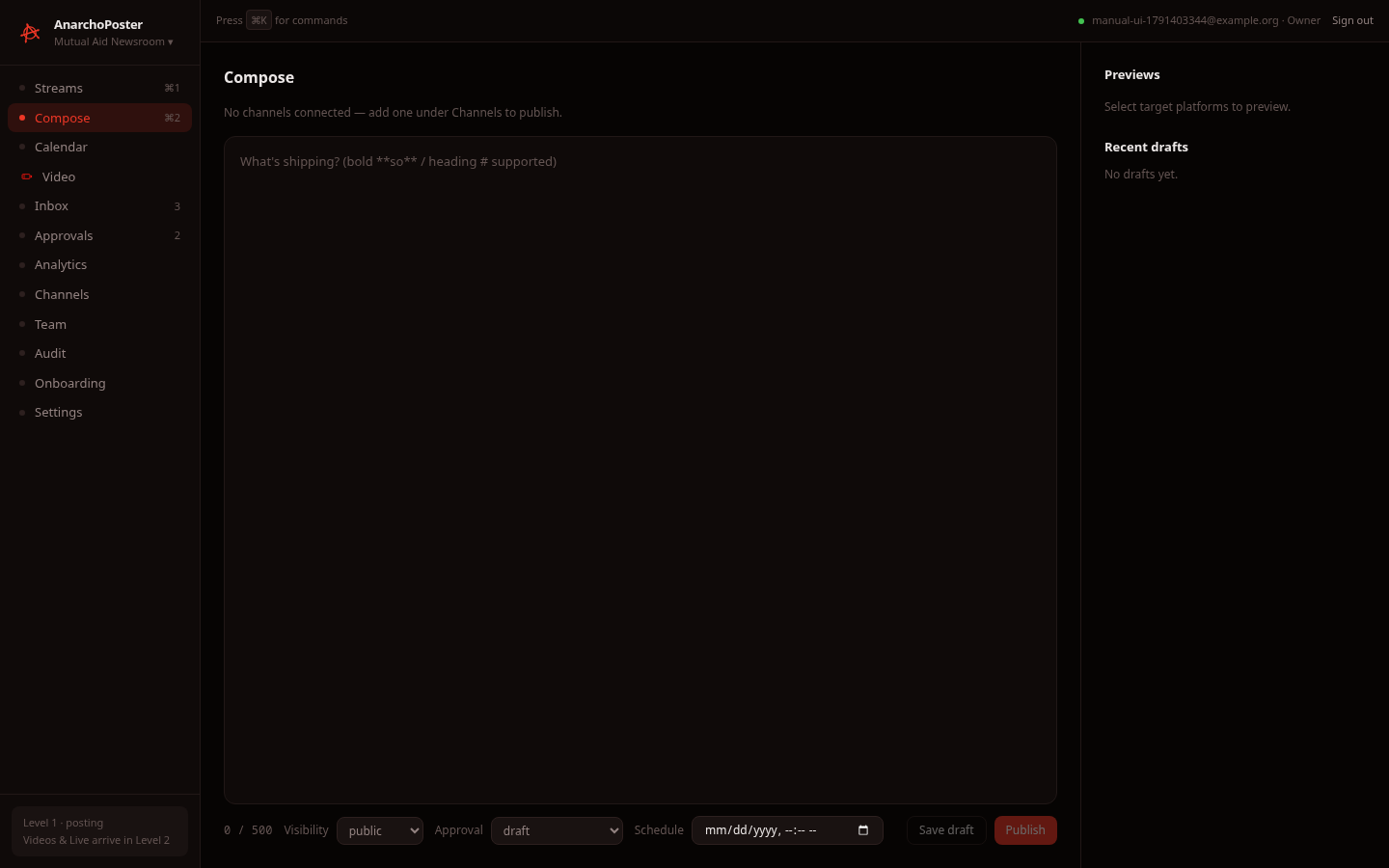
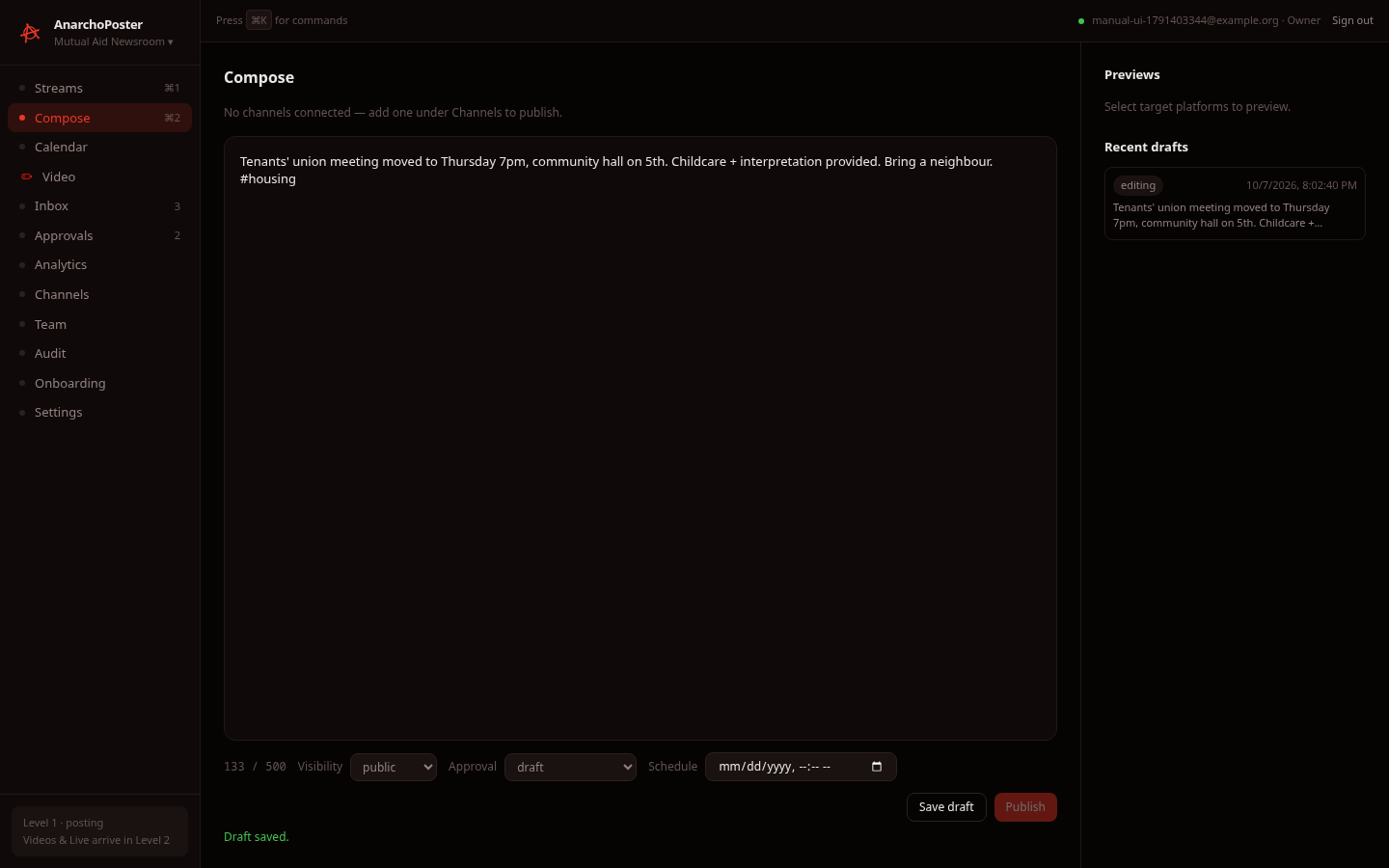
| Empty | Typed | Draft saved |
|---|---|---|
 |
 |
 |
What it does
- Editor. A rich-text (Tiptap) editor with a live character counter (
133 / 500). The limit is the tightest one among the selected targets, or 500 when no target is selected. - Targets. When signed in, the target chips are your workspace's real connections (
GET /connections). In a fresh workspace there are none, so the screen shows "No channels connected — add one under Channels to publish" and Publish stays disabled. - Visibility. public / followers / private.
- Approval. draft / submit for review / approved.
- Schedule. A date-time picker. Setting it turns Publish into Schedule.
- Save draft (live). Stores the post and shows "Draft saved.". The draft appears under Recent drafts with its state badge (
editing), and clicking a recent draft loads its text back into the editor. All verified in the UI; saving was also verified via the API. - Publish (partial). For each selected target, Publish runs create → submit → approve → schedule, stopping early if you lack a permission or choose submit for review.
- Verified via the API: create (
editing) → submit (in_review) → approve (approved). Scheduling against a connection that doesn't exist is correctly refused (404 connection … not found). - Not verified: publishing to a real platform. No workspace can obtain a real connection through the UI, and the dev seeding route
POST /demo/connectionscurrently returns 500. We couldn't create a target, so the publish button was never enabled during testing.
- Verified via the API: create (
- Previews pane. Shows one preview per selected target with its own counter. It is empty when there are no targets.
6. Channels (Connections)
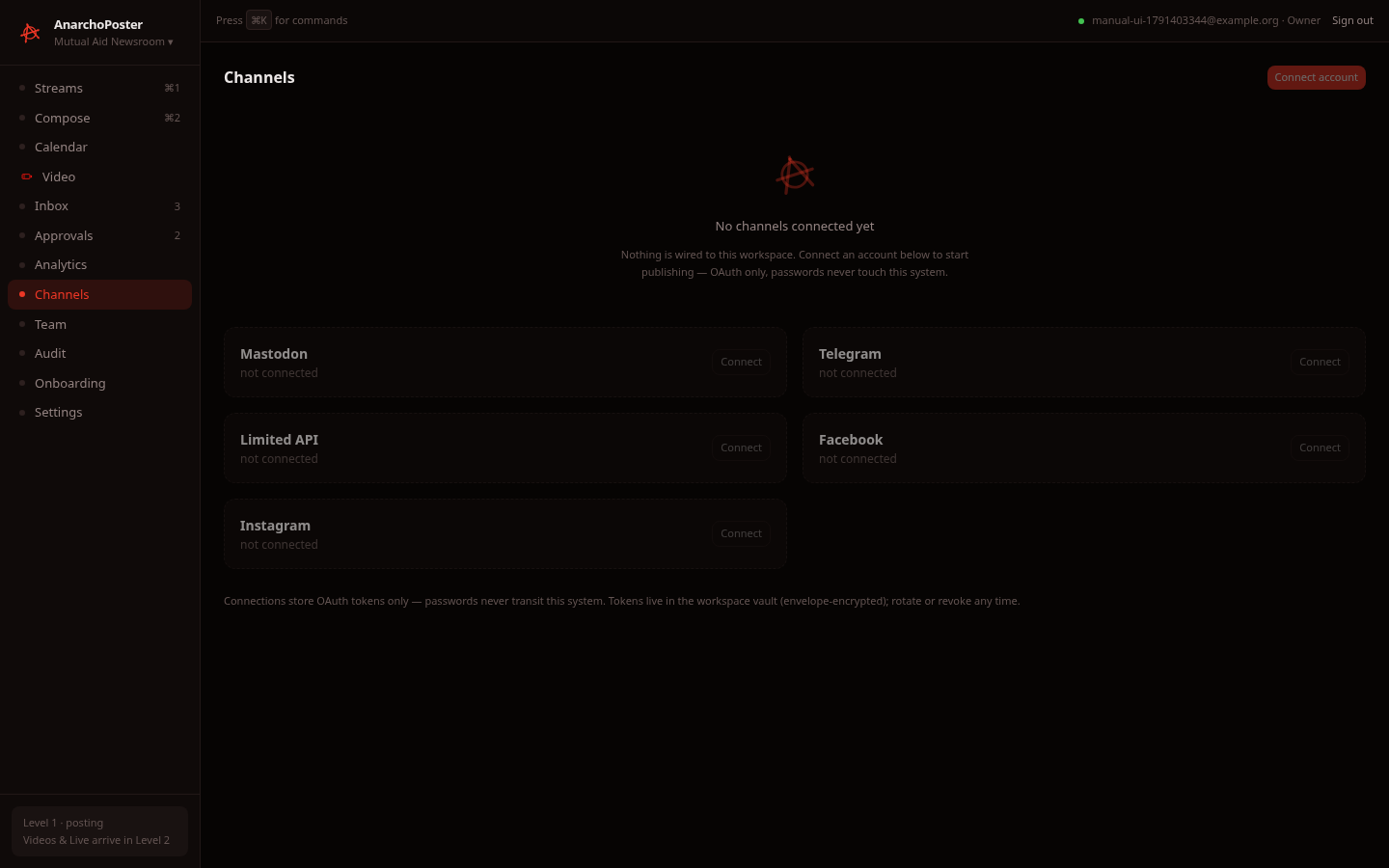
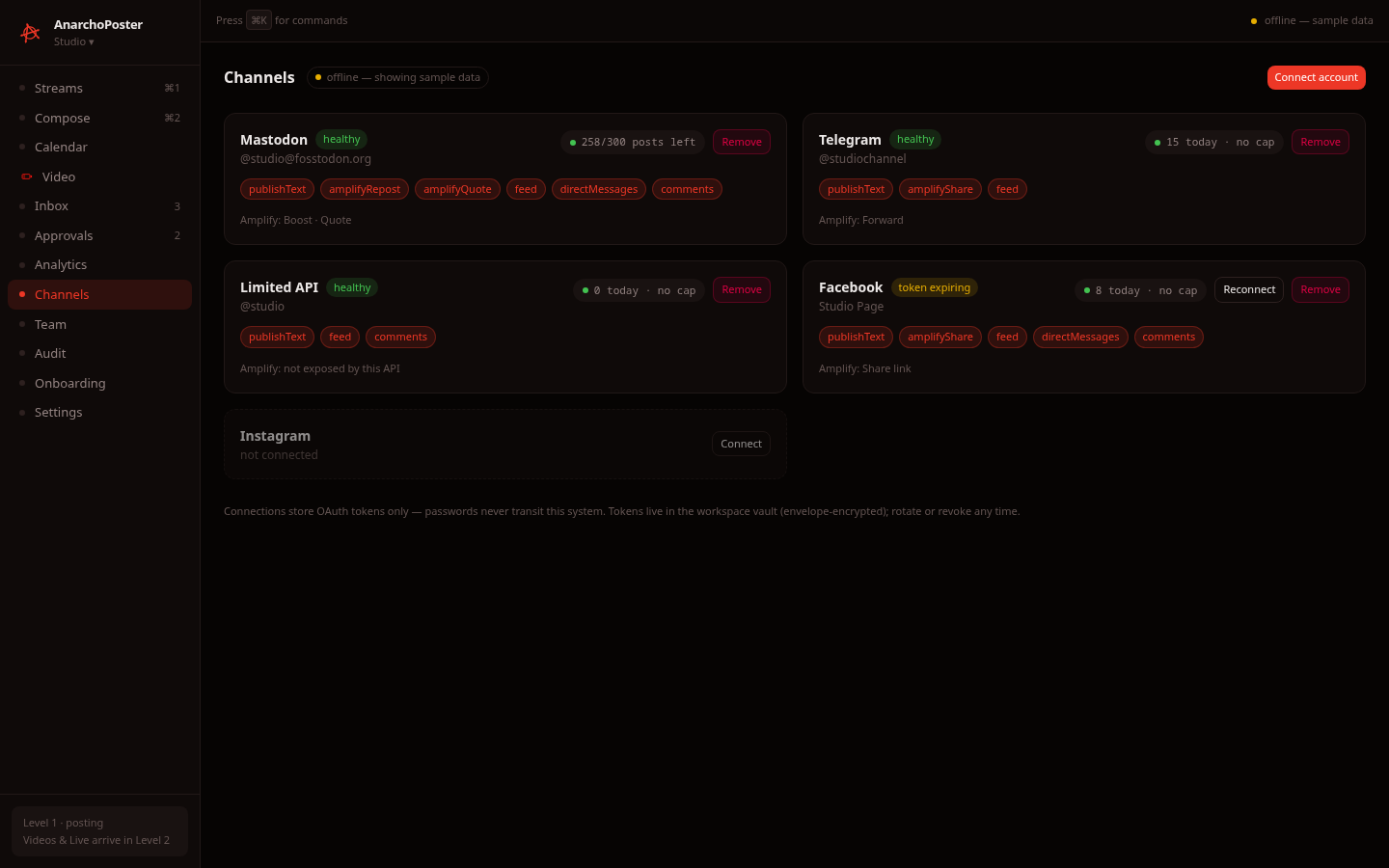
Status: live list (read-only) · stub for Connect/Reconnect/Remove · capacity chips need sample data or a real connection.
| Live workspace (no channels yet) | Sample data (API unreachable) |
|---|---|
 |
 |
What it does
- Live. Reads
GET /connectionsfor the workspace. A new workspace shows "No channels connected yet", followed by one dashed not connected card per known platform. - Connect buttons. Connect account, Connect, Reconnect and Remove are disabled when live. Their tooltip reads: "OAuth connect flows arrive with the connector wiring phase". There is no way to add a channel from the UI today.
- Each connected card (seen in sample mode) shows:
- a health badge (healthy, token expiring, needs credentials)
- capability chips (
publishText,amplifyRepost,feed,directMessages,comments…) - an Amplify line naming the platform's real reshare verbs (Mastodon: Boost · Quote; Telegram: Forward; Facebook: Share link; "not exposed by this API" where there is none)
Capacity chips and popover
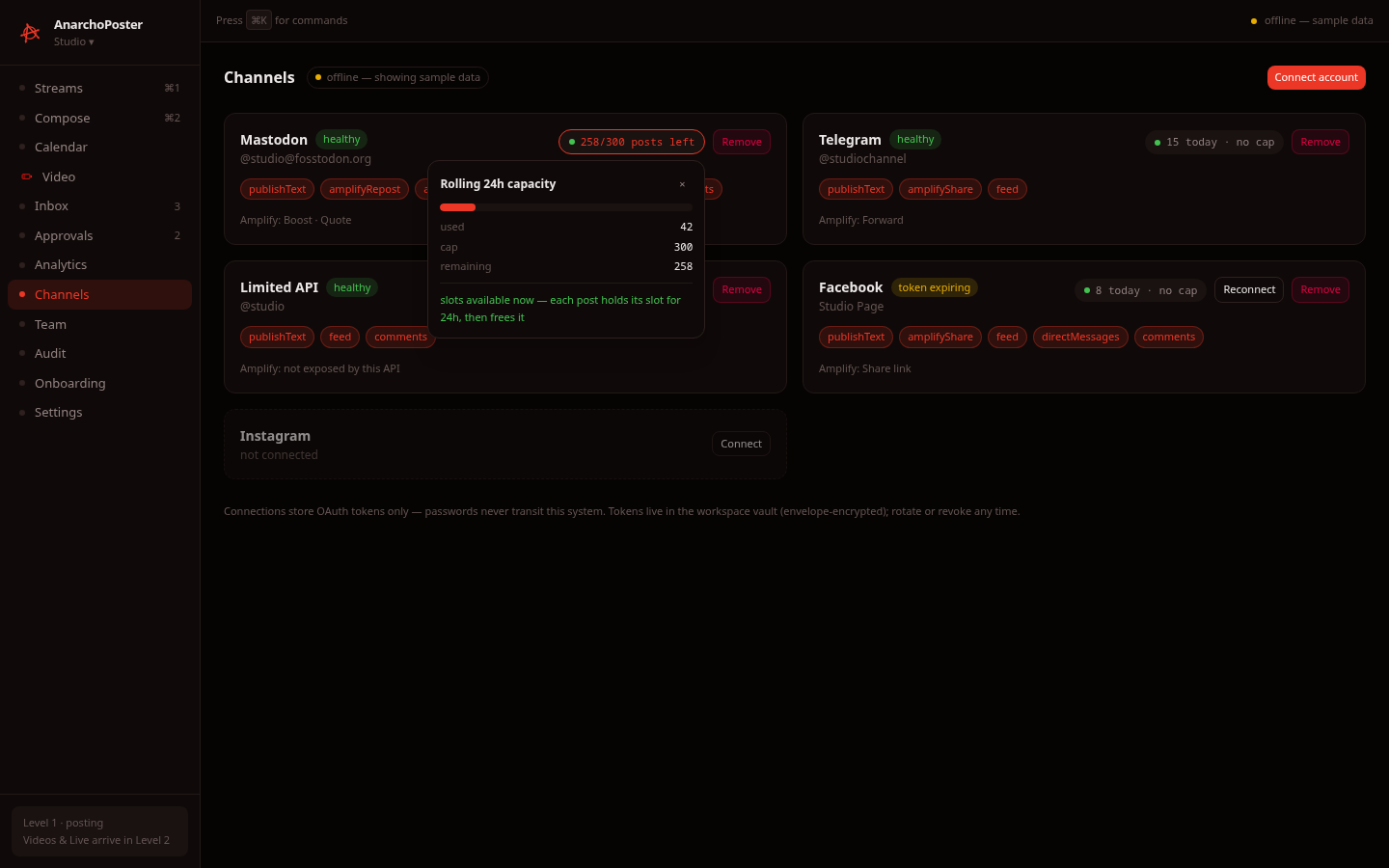
The chip on each connection reads either 258/300 posts left or 15 today · no cap. Click it to open the Rolling 24h capacity popover, which shows:
- a usage bar with used / cap / remaining
- either "slots available now — each post holds its slot for 24h, then frees it" or "next slot frees in …"
- a tier note, and a warning when a configured cap exceeds the platform's documented standard
The math is real: it uses the connector SDK's capacitySnapshot rate policy. In a live workspace the chip uses the connection's real recentPublishes. We could only exercise the popover on sample data, because no live connection could be created (see §6 above).
7. Video
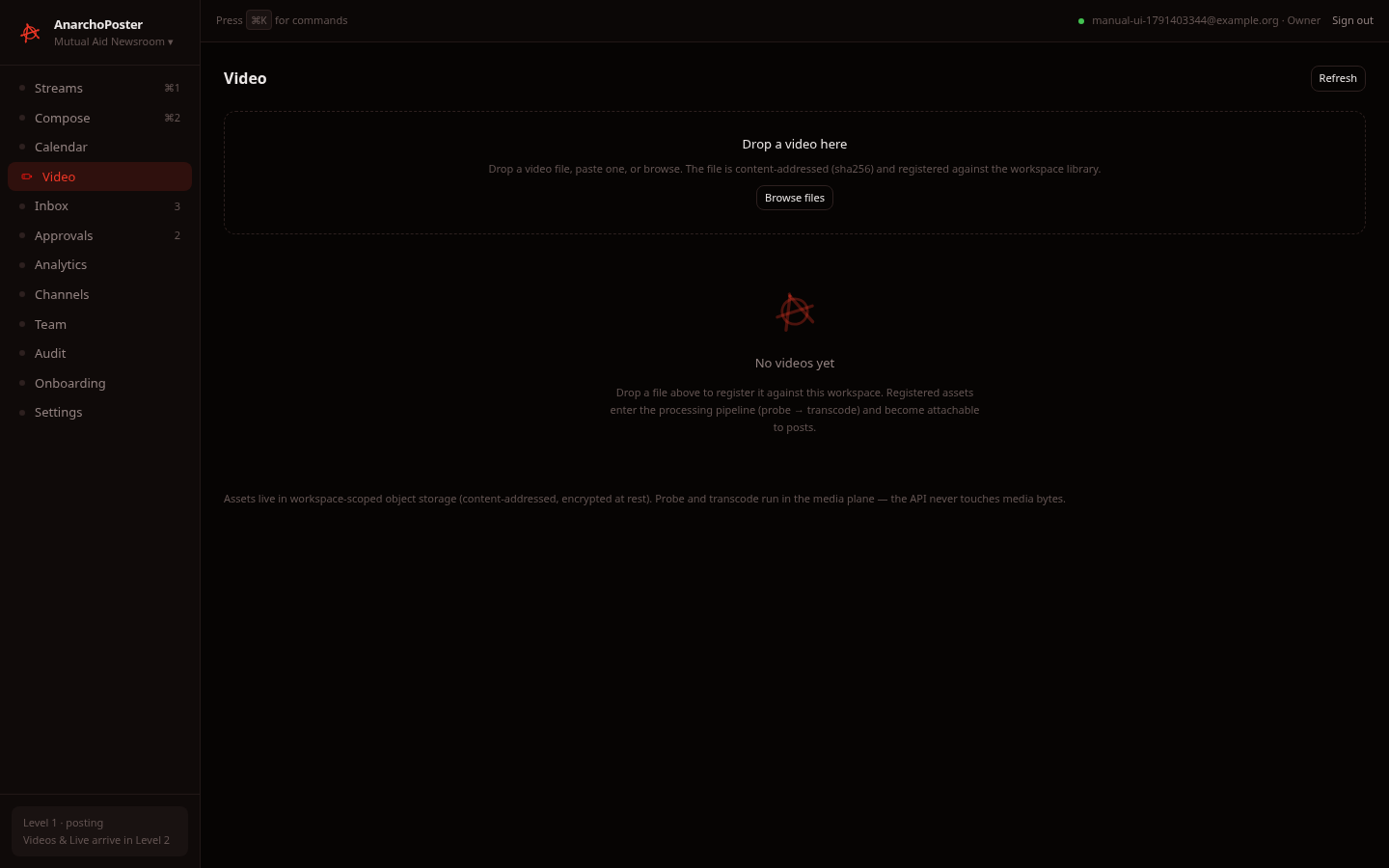
Status: live (register, list, detail, delete) · partial (processing).
| Empty library | After upload: detail drawer |
|---|---|
 |
 |
| Library grid | Delete confirmation | After delete |
|---|---|---|
 |
 |
 |
How to use it
- Add a video. Drop a file on Drop a video here, paste one, or click Browse files. MP4, WebM and MOV are accepted. Other types are refused (verified: a
.txtfile gave "not-a-video.txt: not a video file (text/plain)"). Drag-drop and paste use the same code path as Browse; we exercised only Browse. - What happens on upload. The browser computes the file's SHA-256 and registers it with the API as
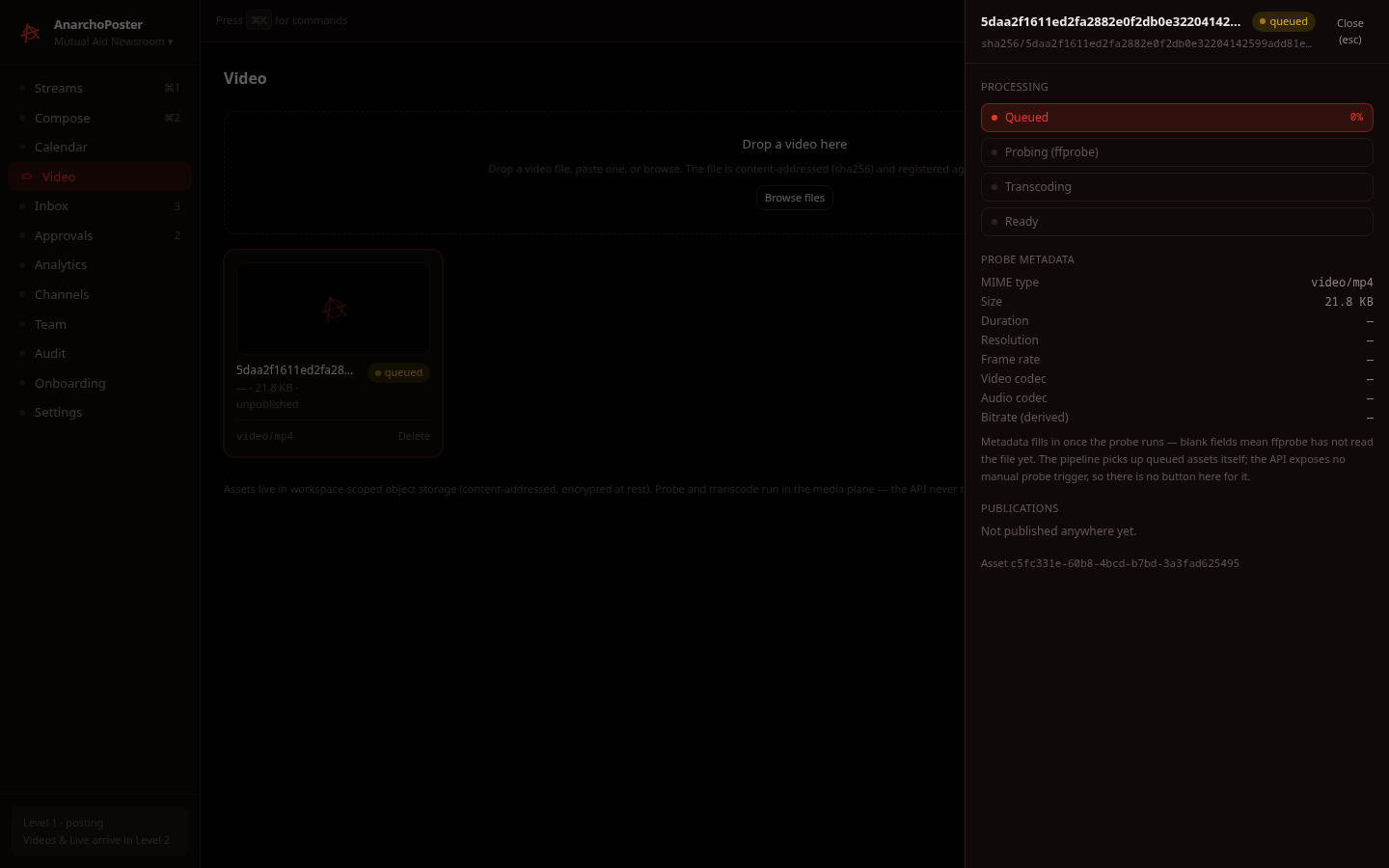
sha256/<hash>.<ext>(POST /video/upload). The response creates a video asset and a processing job in state queued (live, verified twice in the UI and once via the API). - Detail drawer. The drawer opens automatically after upload; close it with Esc. It shows:
- the pipeline: Queued → Probing (ffprobe) → Transcoding → Ready
- probe metadata (MIME type and size are filled in; duration, resolution, codecs and bitrate stay "–" until the probe runs)
- publications
- the asset ID
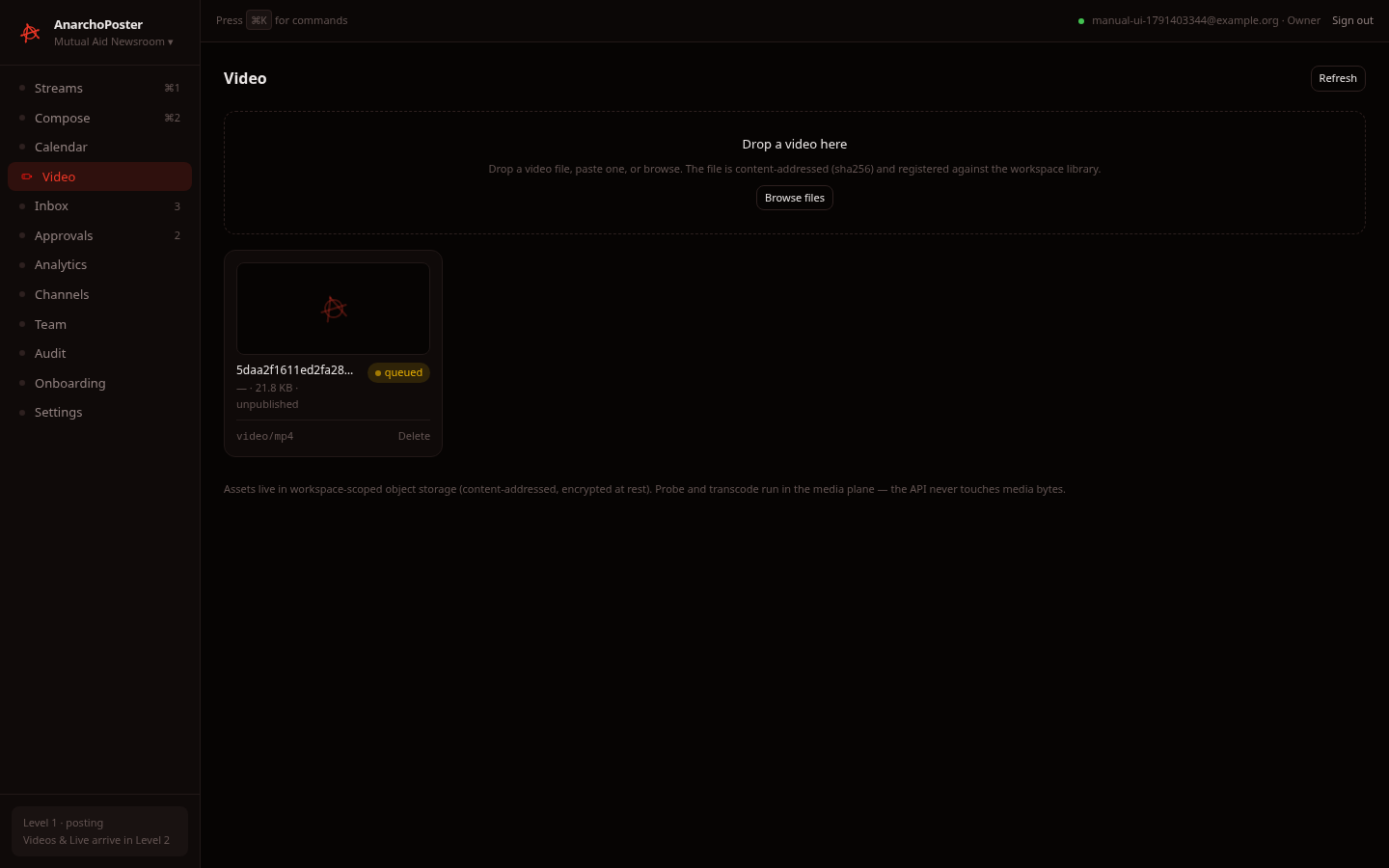
- Auto-refresh. The library refreshes every 6 seconds while any asset is in flight, and Refresh reloads it manually.
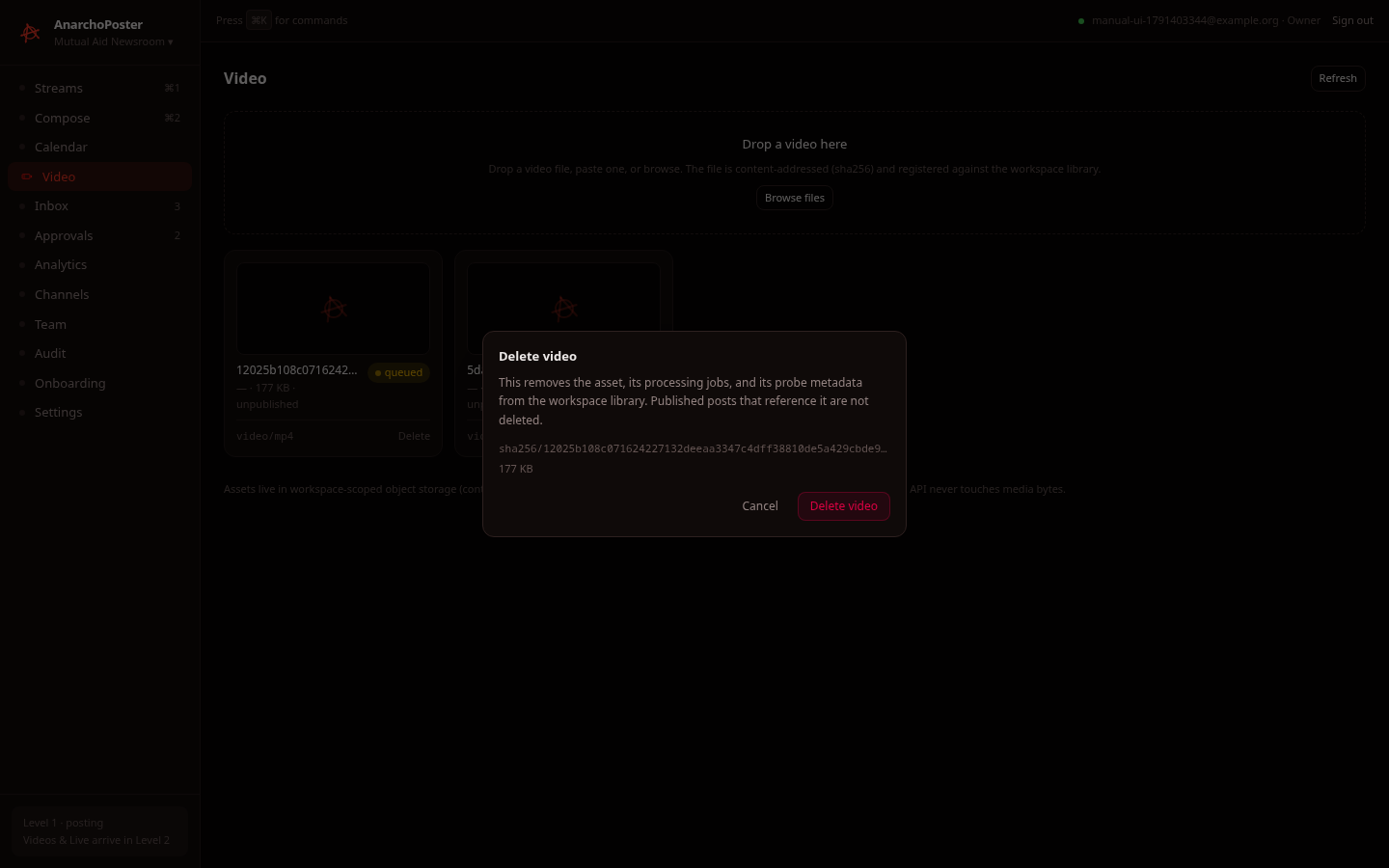
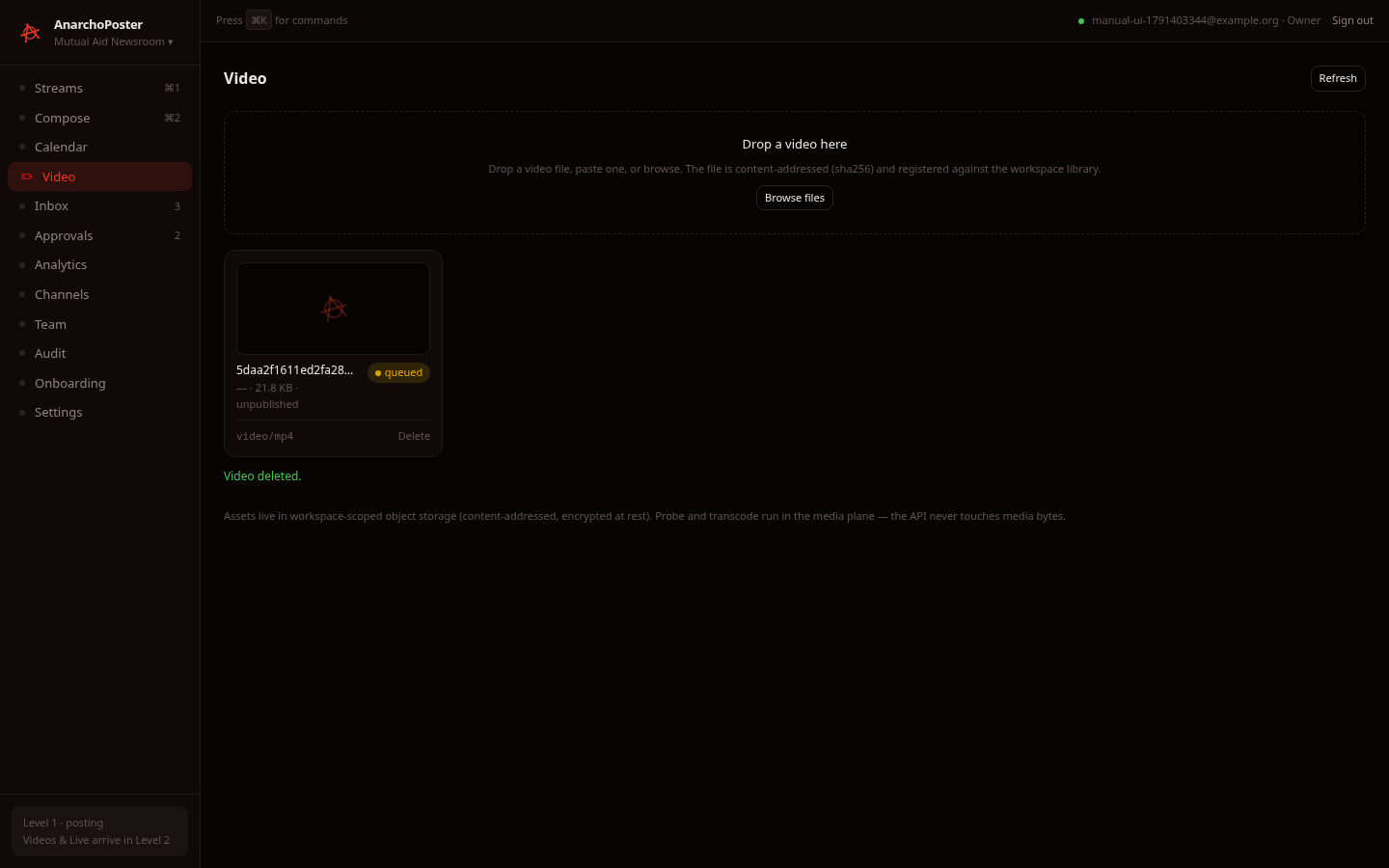
- Delete. Click Delete on a card to open the confirmation dialog: "This removes the asset, its processing jobs, and its probe metadata… Published posts that reference it are not deleted." Click Delete video to remove it and show "Video deleted." (live). The deletion appears in Audit as
video.deleted.
Why it's partial. The API registers the asset but never receives the file bytes: there is no multipart upload route. The bytes are meant to reach object storage through the media-worker ingest path, which isn't wired. As a result:
- every job stays queued at 0% (verified 8 minutes after upload, and across auto-refresh cycles, as shown in
desktop-video-after-refresh.png) - no probe metadata is ever filled in
- no thumbnail is generated (cards show the logo placeholder)
- cards show the hash, not the original filename
8. Team
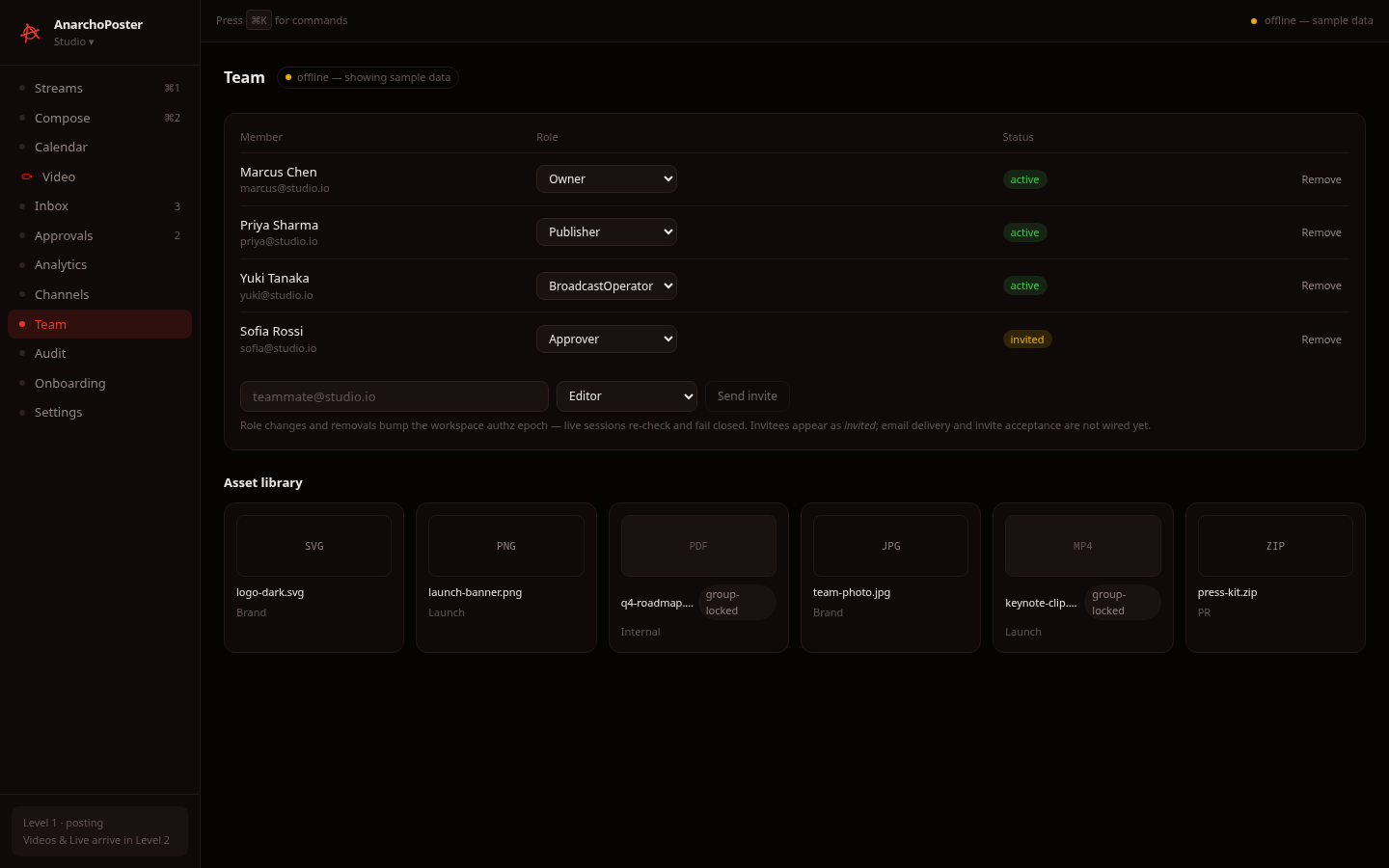
Status: live (members, invite, role change, remove) · sample data (asset library, always).
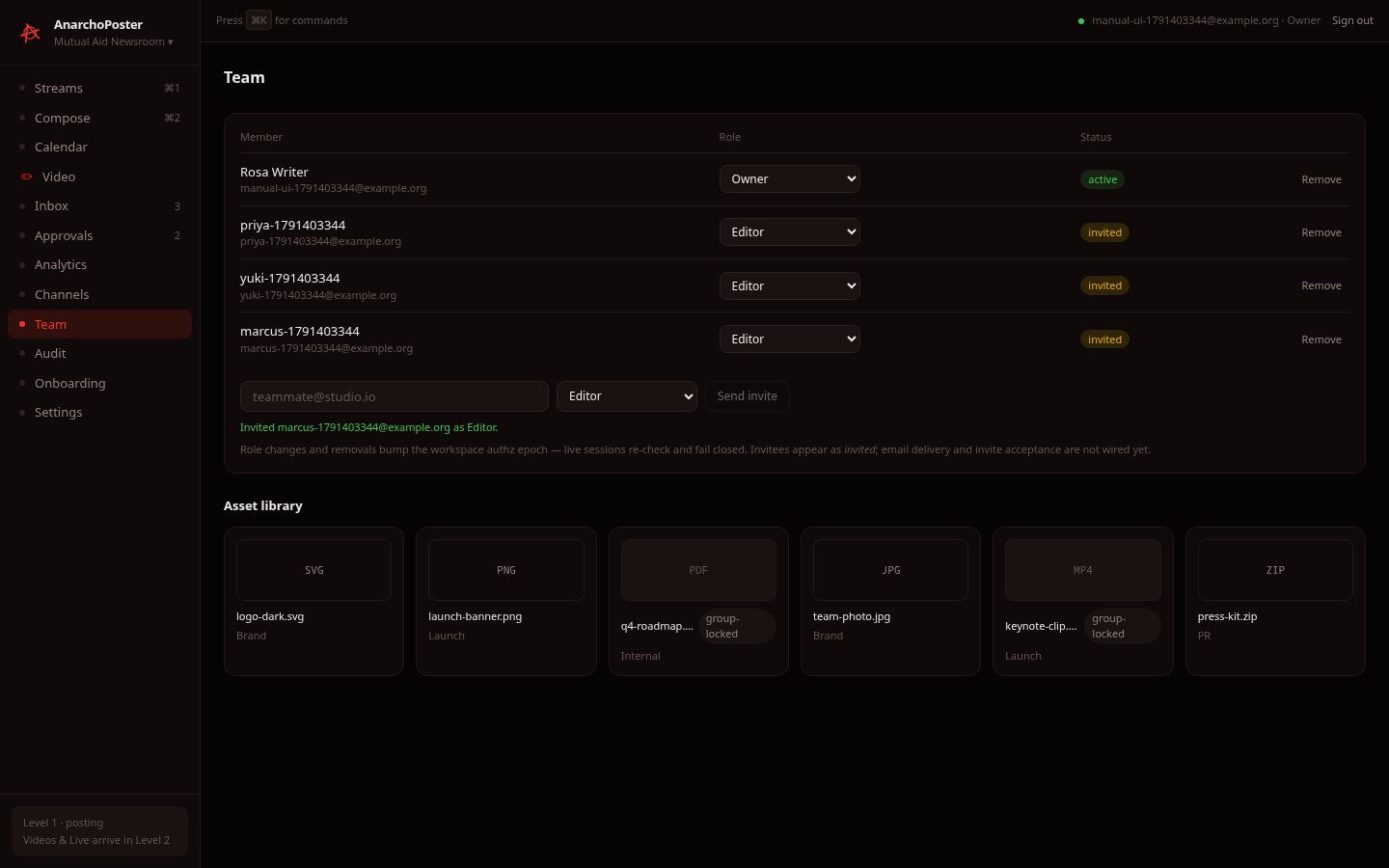
Members table (live):
| Feature | What happened in testing |
|---|---|
| List | Shows member, role and status (active / invited) |
| Invite | Entering an email + role and clicking Send invite gives "Invited … as Editor." and adds an invited row. Verified in the UI and via the API |
| Change role | Uses the per-row dropdown. Verified via the API (Editor → Approver); the old session token was then rejected and the reissued token worked |
| Remove | Remove → Confirm remove. Verified via the API (the UI button itself was not clicked) |
| Roles | Admin, Analyst, Approver, BroadcastOperator, Editor, Moderator, Owner, Publisher, StreamOperator, VideoPublisher. Only an Owner can assign or modify Owner |
Invite emails and invite acceptance are not wired. The page says so itself.
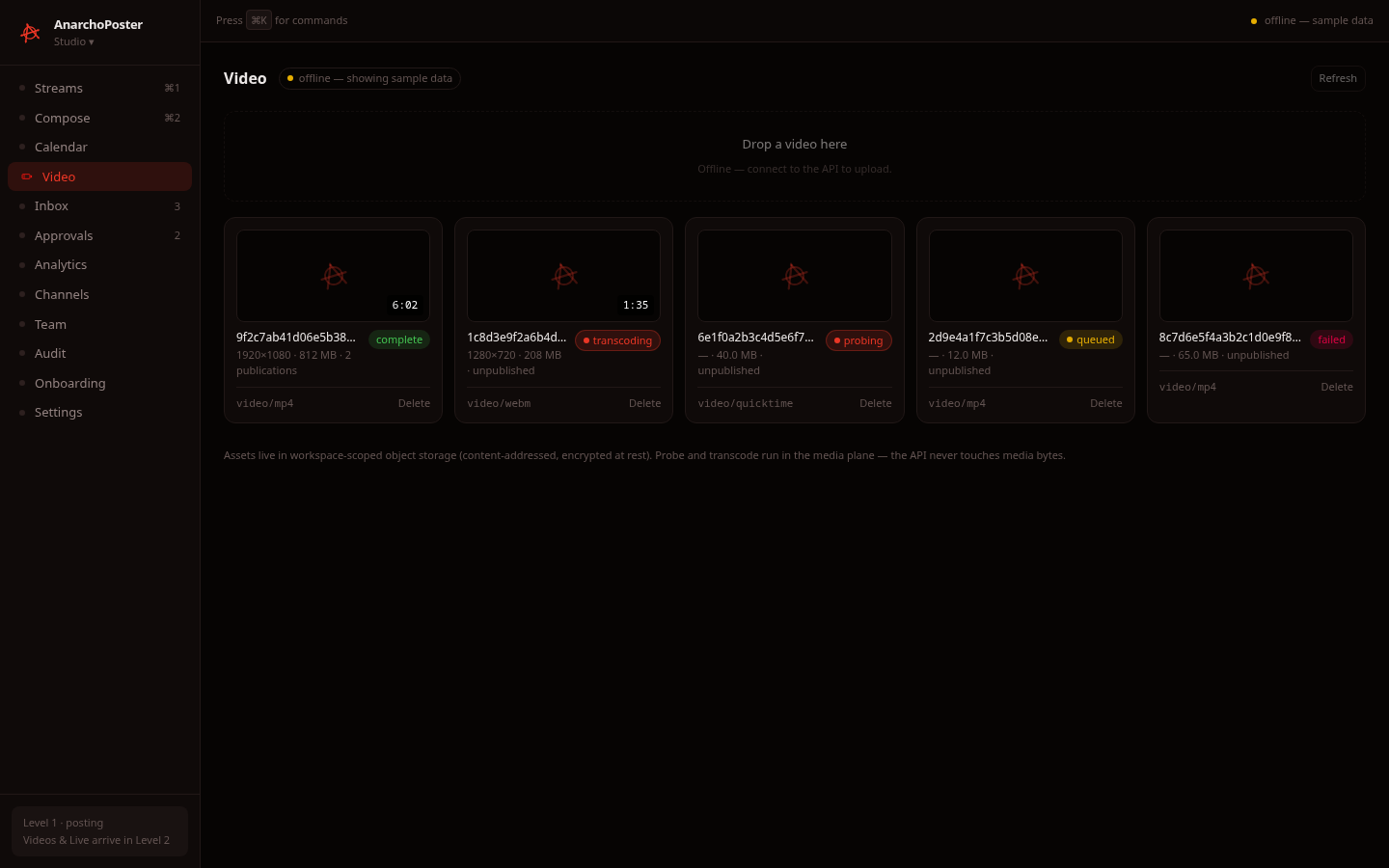
Asset library (lower half): sample data, always. These six fixture files are not your workspace's assets. Real video assets live on the Video screen.
9. Audit
Status: live · Export CSV is a stub.
| Trail | Expanded entry (diff) |
|---|---|
 |
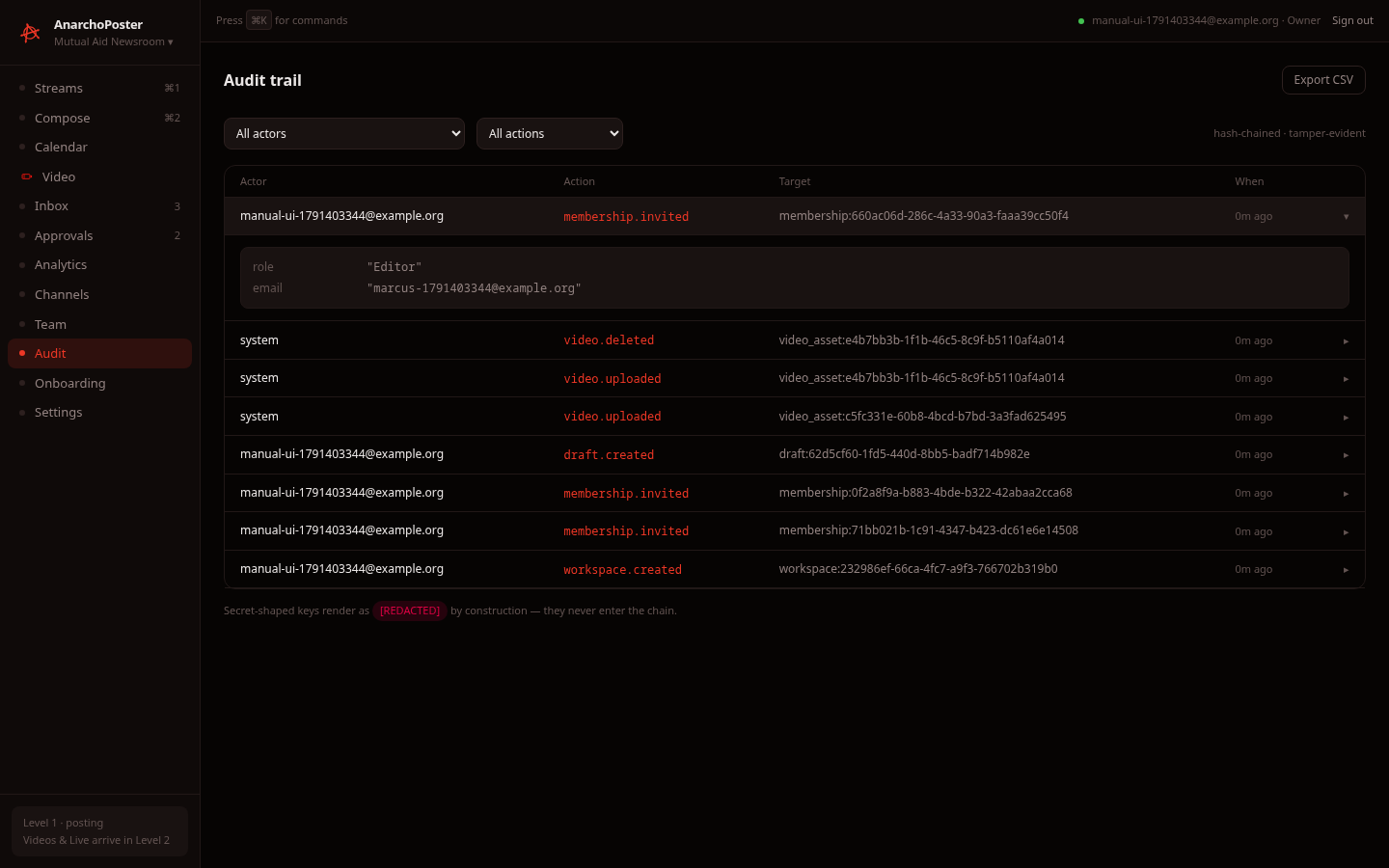 |
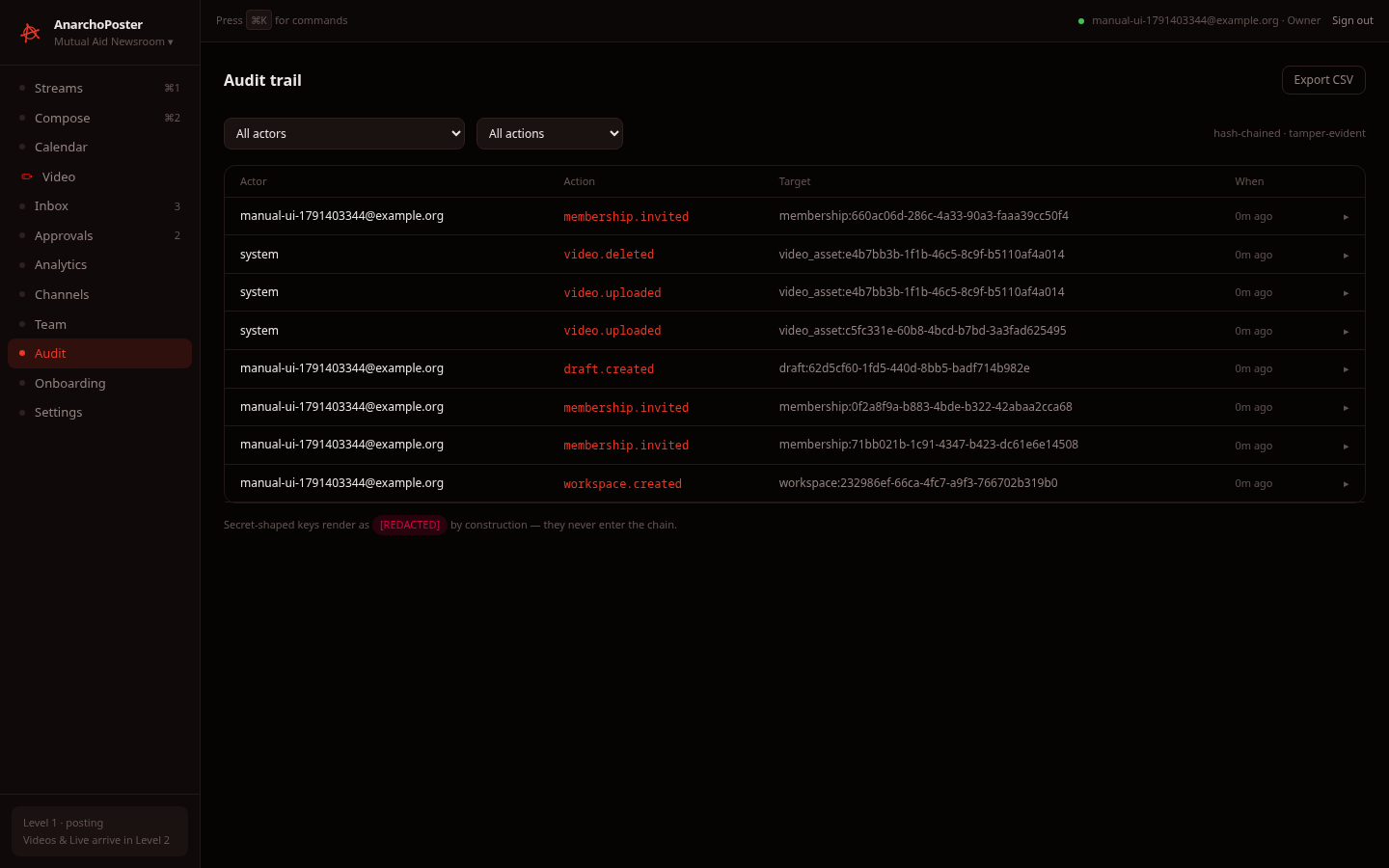
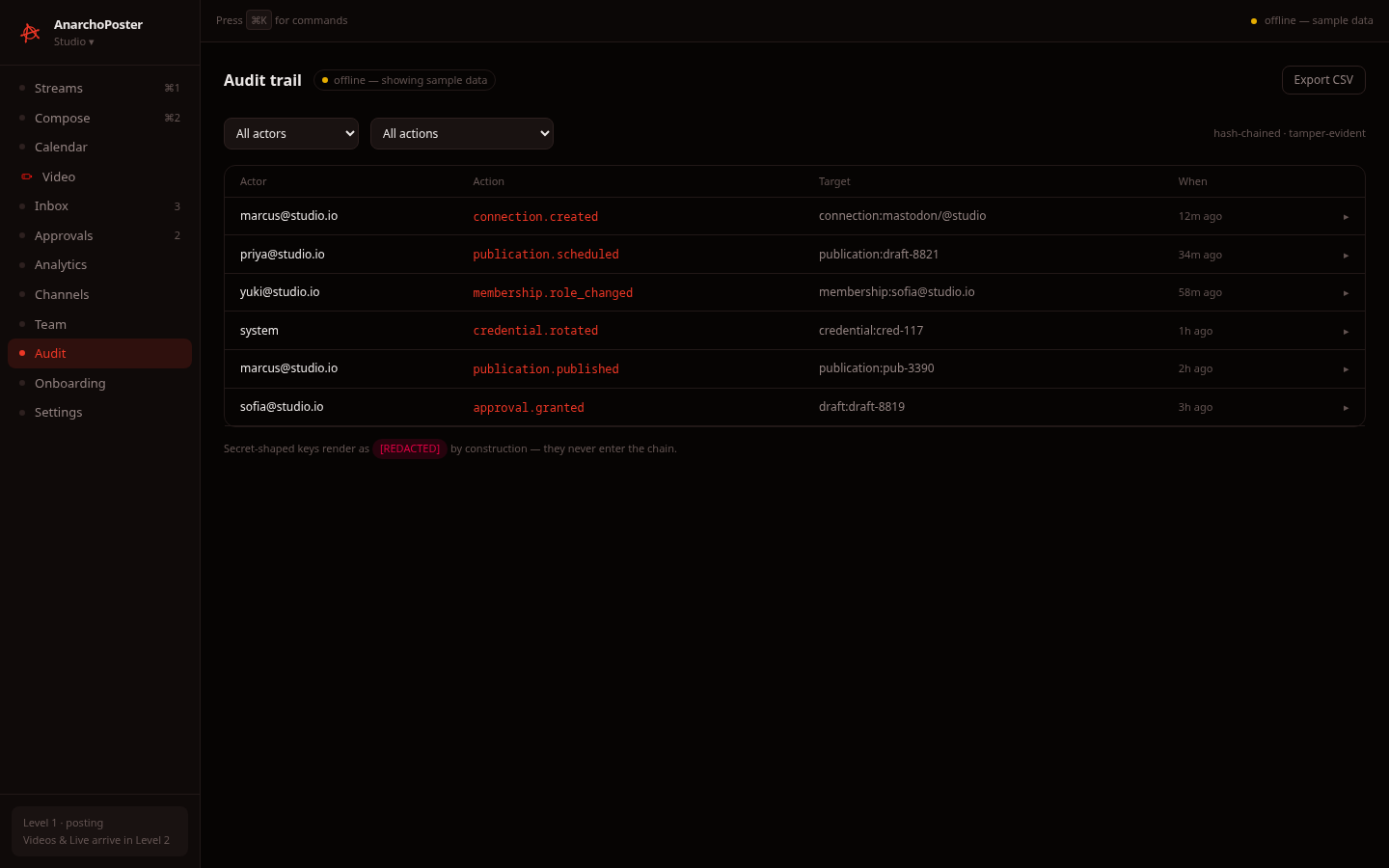
- What it shows. Every workspace action, newest first: actor (email, or
systemfor API-side events such asvideo.uploaded), action, target and age. We saw these actions recorded by our own test run:workspace.createdmembership.inviteddraft.created/draft.submitted/draft.approvedvideo.uploaded/video.deletedmembership.role_changed/membership.removed/session.created(from the API-driven run)
- Diff. Click a row to expand its diff (for example
role "Editor",email "…"). - Filters. The All actors / All actions dropdowns narrow the list. Verified: filtering to
draft.approvedcut 11 rows to 1. Load more pages through older entries (not exercised: our test workspaces never exceeded one page). - Integrity. The trail is labelled hash-chained · tamper-evident, and secret-shaped keys render as
[REDACTED]. - Export CSV has no handler. It is a stub.
10. Inbox
Status: sample data (always). Fixture conversations are shown even when signed in. DMs are Level 2: the connector getMessages() path isn't wired to the API. You can type in the reply box, but nothing is sent.

11. Calendar, Approvals, Analytics, Settings
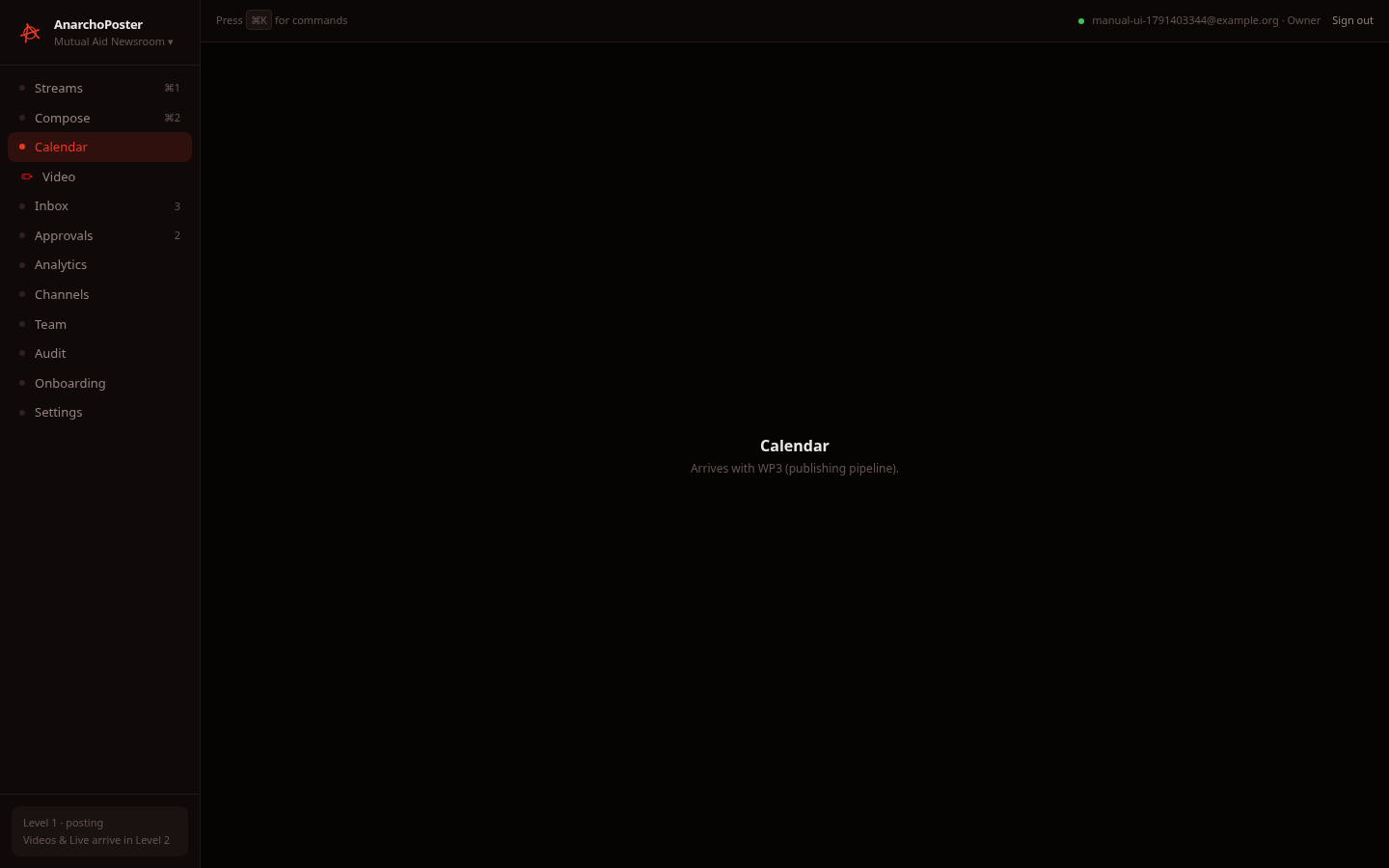
Status: stub. Each of these four screens is a placeholder reading "Arrives with WP3 (publishing pipeline)."
| Calendar | Approvals |
|---|---|
 |
 |
| Analytics | Settings |
|---|---|
 |
 |
The approval state machine does exist in the API: drafts move editing → in_review → approved, verified in §5. There is just no review-queue screen yet.
12. Telegram
Status: connector-level only. There is no UI connect flow.
- What exists. The
@tactical-media-broadcast-hub/connector-telegrampackage publishes to channels and amplifies by forwarding:forwardMessagefor a plain forwardcopyMessagewhen you add commentary, because a forward cannot carry a caption- removing an amplification is supported
- Auth. Telegram uses a bot token created with @BotFather, not OAuth.
- Tests. Its contract test suite passes (34/34, run on 2026-10-07). The tests run against a mocked Bot API, not a real bot.
- In the UI. Telegram appears as a fixture column in Streams, a fixture card in Channels sample mode (capability
amplifyShare, Amplify: Forward), and a simulated toggle in Onboarding. None of these talk to Telegram. There is no screen to enter a bot token, so a Telegram channel can't be connected from the app today.
13. Offline / sample-data mode
If the browser can't reach the API at all, the session bar shows offline — sample data, and the screens built on the API (Channels, Compose, Video, Team, Audit) render fixtures with an "offline — showing sample data" badge. Sample data is read-only: actions answer "Offline — sample data is read-only." or "Offline — sample mode, nothing was sent.". This mode is a development convenience, not a feature.
| Channels | Video | Team | Audit |
|---|---|---|---|
|
 |
 |
 |
Compose and Onboarding in this mode: desktop-compose-sample.png, desktop-onboarding-sample.png.
14. Mobile
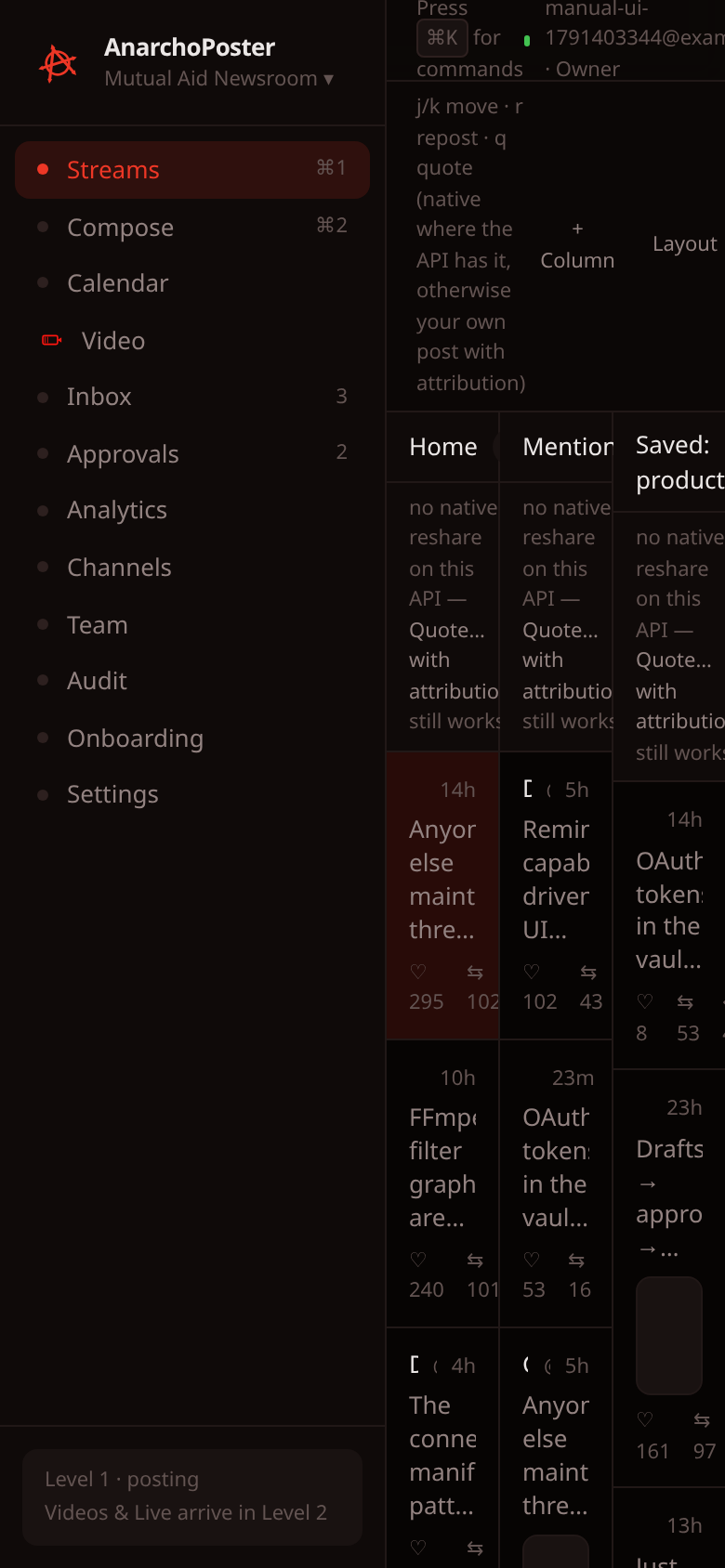
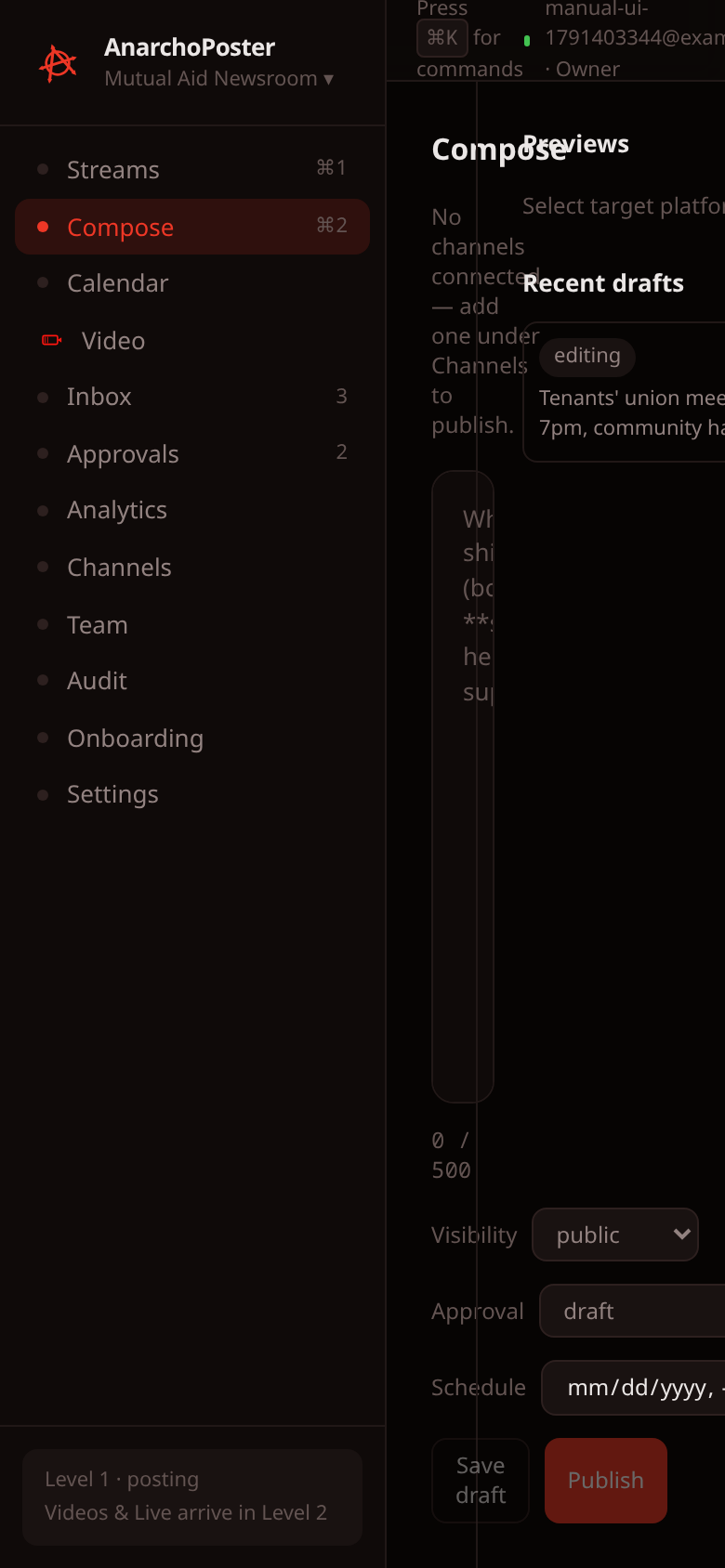
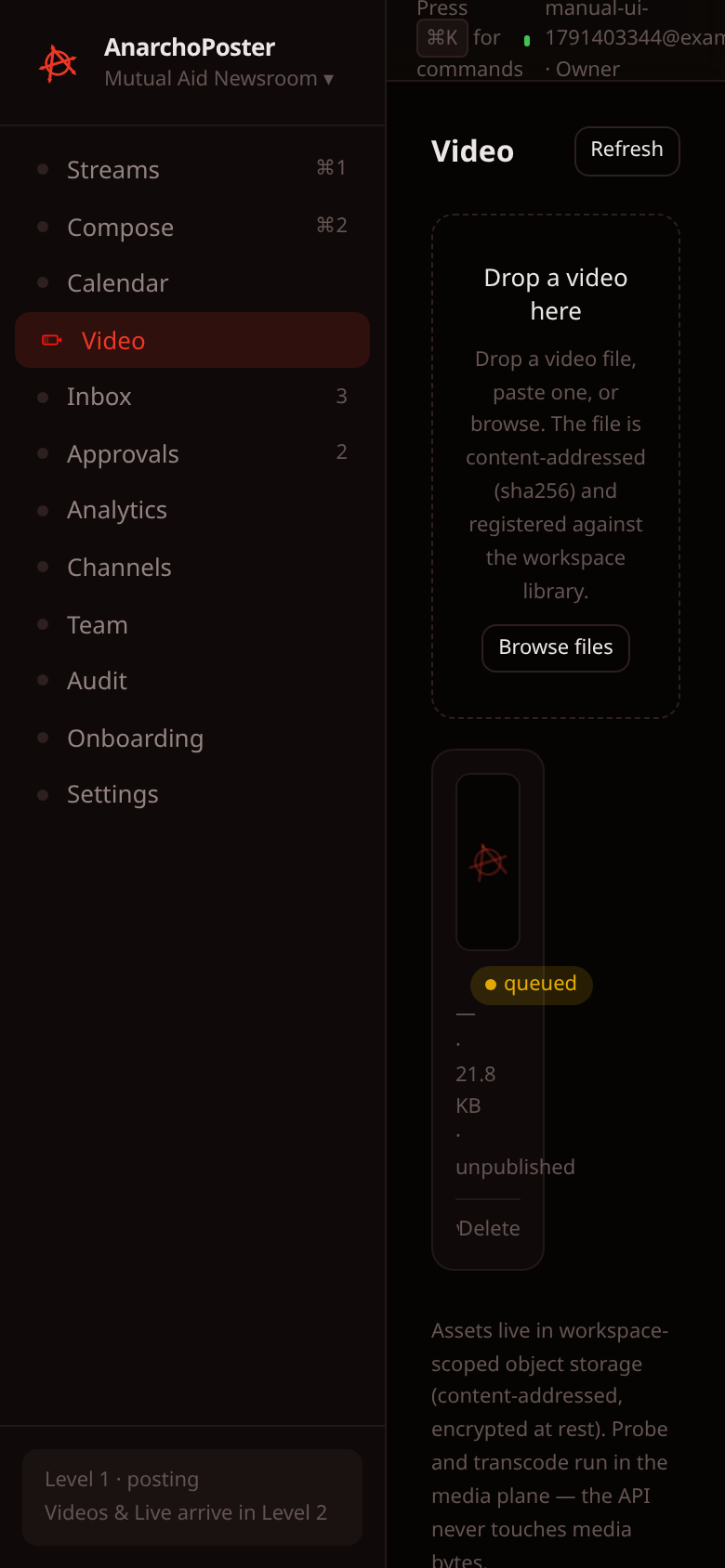
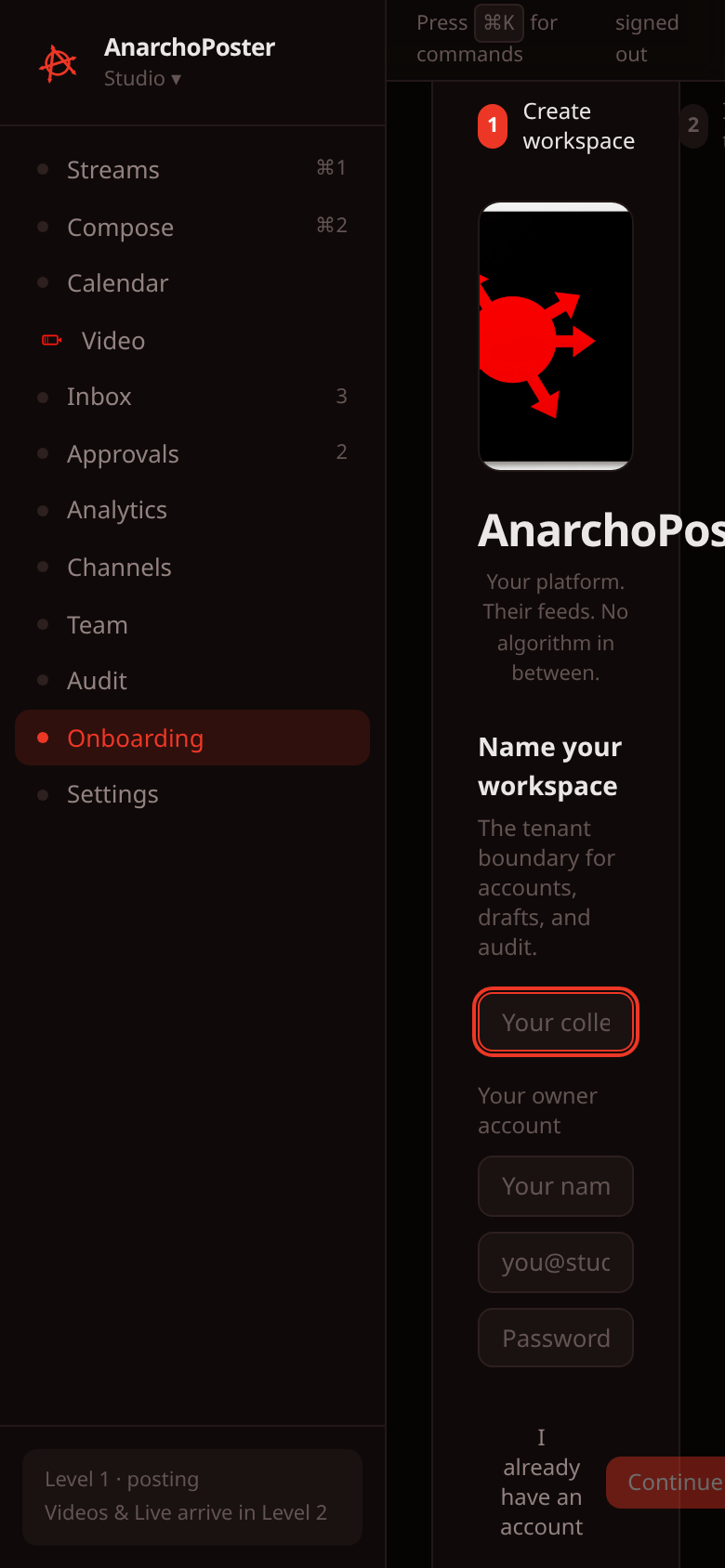
Status: a mobile PWA is in progress. Today, the mobile experience is the desktop site on a phone.
At 390×844 the full desktop sidebar stays fixed and takes roughly half the width. The content column is squeezed:
- Streams columns are a few characters wide.
- The Compose editor is collapsed to zero usable width. Our automated test couldn't click into it at all ("element is not visible").
- The onboarding inputs are only 84 px wide, so registering or signing in on a phone is cramped at best.
Treat phones as read-only, at best until the PWA ships.
| Streams | Compose | Video | Onboarding (register) |
|---|---|---|---|
 |
 |
 |
 |
Other mobile captures:
mobile-connections.pngmobile-team.pngmobile-audit.pngmobile-inbox.pngmobile-calendar.pngmobile-approvals.pngmobile-settings.pngmobile-analytics.pngmobile-onboarding.png(signed in)mobile-onboarding-signin.png
15. Capability table — what actually works
| Feature | Status | Evidence |
|---|---|---|
| Register workspace + owner | live | UI registration and API POST /auth/register → 201 |
| Sign in / wrong-password error | live | UI sign-in → /streams; wrong password → 401 "invalid email or password" |
| Sign out | live | Session bar button: token cleared from storage; next protected route → /onboarding |
| Auth gate (anonymous → onboarding) | live | Anonymous /streams redirected to /onboarding |
| Epoch fail-closed + auto reissue | live | Old token → 401 "authorization epoch stale" after a role change; client reissued automatically |
| Onboarding invite step | live | 2 invites → 201 each; members appear as invited |
| Invite email delivery / acceptance | stub | Not wired (stated in the UI) |
| Onboarding "Connect accounts" | stub | Simulated local toggle |
| Streams columns, j/k/r/q | sample data (always) | Fixtures; repost/quote don't call any API |
| Streams + Column / Layout | stub | Inert buttons |
| Compose editor, counters, previews | live (client-side) | Exercised in the UI |
| Save draft / Recent drafts | live | UI "Draft saved." + GET /publishing/drafts |
| Draft submit → approve (state machine) | live (API only) | in_review → approved via the API |
| Schedule / publish to a platform | partial, not exercised end-to-end | No connection obtainable; schedule against an unknown connection → 404 as designed |
| Channels list | live (read-only) | GET /connections → [] for a new workspace |
| Connect / Reconnect / Remove channel | stub | Disabled when live ("OAuth connect flows arrive with the connector wiring phase") |
| Capacity chip + 24h popover | sample data in testing | Real rate-policy math; no live connection to show it on |
POST /demo/connections (dev seed) |
broken | Returns 500 |
| Video register (upload) | live | 2 UI uploads + 1 API upload → asset + job queued |
| Video library, detail drawer, refresh | live | GET /video, GET /video/:id/status |
| Video delete (confirm modal) | live | DELETE /video/:id → 200, "Video deleted.", audit video.deleted |
| Video probe / transcode / thumbnails | partial | Job stays queued 0%; bytes never reach storage (no ingest path) |
| Team list / invite / role change / remove | live | UI invite; API role change + remove |
| Team asset library | sample data (always) | Fixtures |
| Audit trail, diffs, filters | live | Our own actions recorded with actor/diff; action filter draft.approved narrowed 11 rows → 1 |
| Audit Export CSV | stub | Button has no handler |
| Command palette (⌘K) | live (navigation only) | Opened and listed routes |
| Inbox | sample data (always) | Fixtures; reply doesn't send |
| Calendar | stub | Placeholder "Arrives with WP3" |
| Approvals screen | stub | Placeholder (approval API exists, see above) |
| Analytics | stub | Placeholder |
| Settings | stub | Placeholder |
| Telegram publish + forward-amplify | connector-level only | Contract tests 34/34 against a mocked Bot API; no UI connect (bot-token entry) flow |
| Other connectors (Mastodon, Bluesky, Discord, Slack, PeerTube…) | connector-level only | Not exercised here; none connectable from the UI |
| Offline sample-data mode | sample data | API blocked → fixtures + "offline" badge |
| Mobile | in progress | Desktop site on a phone; Compose unusable at 390px |
Generated from a verification run; details, logs and the screenshot inventory are in runs/manual/screenshots-manual-report.md.